
AMD dedicated servers are available in many different configurations, from Ryzen systems built for fast application performance to high core count EPYC machines designed for larger infrastructure. The difficult part is not finding an AMD server. It is figuring out which provider gives you the right combination of hardware, storage, memory, network capacity, and management features for the money.
A low starting price may look attractive, but the configuration behind it matters. One provider may include more RAM, another may offer greater transfer allowances, while another may give you access to larger EPYC configurations for virtualization or data heavy applications.
To make the comparison more useful, our team reviewed 20+ hosting providers over 7 months and narrowed the list down to five options based on the AMD server configurations, performance related resources, pricing, network capacity, management tools, and overall value available for different types of projects.
Table of Contents
At a Glance: Our Top AMD Server Picks
Before going into the individual providers, here is a quick look at the configurations that helped each company earn its place in this comparison.
| Provider | AMD Processor Options | Starting Price | Memory | Storage | Network / Transfer |
| YouStable | Ryzen, EPYC | $167.44/mo | Up to 256GB | Up to 2 × 1.92TB NVMe | Up to 50TB / 1Gbps |
| ServerWala | Ryzen, EPYC | $78/mo | Up to 128GB on listed configurations | Up to 2 × 1.92TB Gen4 NVMe RAID 1 | 20TB on listed configurations |
| OVHcloud | Ryzen, EPYC | ₹6,600/mo | Up to 1TB | Up to 6 × 7.68TB on listed configurations | Up to 25Gbps public |
| Leaseweb | AMD EPYC | £435.22/mo | 128GB+ on listed systems | SSD / NVMe configurations | 30TB on listed systems |
| InterServer | Ryzen 9 | $149/mo | Up to 96GB | HDD, SSD, or NVMe options | Up to 150TB |
The prices and configurations above are based on the provider information used for this comparison. Server availability, billing periods, taxes, locations, and selected configurations can affect the final price.
What Makes an AMD Dedicated Server Different?
With a dedicated server, the physical machine is assigned to you instead of being shared with multiple hosting customers. That means the processor, memory, storage, and server level resources are reserved for the environment you are running.
AMD based dedicated hosting generally falls into two main categories:
AMD Ryzen Servers
Ryzen processors are commonly used for projects that benefit from strong CPU performance and modern desktop-class architecture. Depending on the configuration, they can be suitable for websites, web applications, game servers, databases, development environments, and other CPU intensive tasks.
AMD EPYC Servers
EPYC processors are designed for server and data center environments. They are commonly found in systems that require higher core counts, larger memory capacity, virtualization, multiple concurrent services, and sustained processing.
The right choice is not automatically Ryzen or EPYC. It depends on what you are planning to run and how much room you need for future growth.
Our Five Picks for 2026
The providers below are not identical, and that is exactly why they are useful to compare.
- YouStable takes the first position because its supplied range covers both Ryzen and EPYC configurations, including systems with substantial memory, NVMe storage, remote management, and dedicated bandwidth.
- ServerWala follows with a lower entry price and listed configurations featuring DDR5 ECC memory and Gen4 NVMe storage.
- OVHcloud stands out for the breadth of its AMD lineup, ranging from Ryzen systems to EPYC servers with much larger memory, storage, and networking capacity.
- Leaseweb is positioned toward enterprise oriented EPYC deployments, including dual processor systems and selected specialized hardware configurations.
- InterServer completes the list with a Ryzen focused range, high transfer allowances, configurable storage, remote administration, and DDoS protection.
1. YouStable: Our Top Pick for Flexible AMD Server Configurations
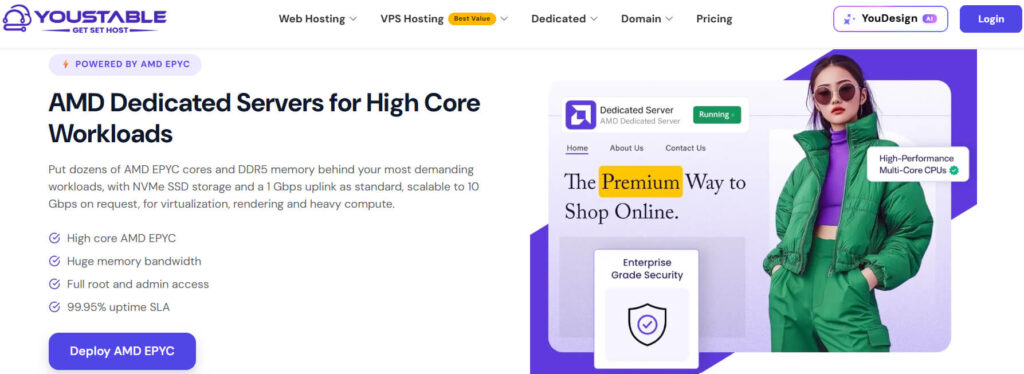
YouStable takes the first position in this comparison because it offers a mix of AMD Ryzen and AMD EPYC dedicated servers, giving users more flexibility than a provider focused on only one processor family.
The available range covers smaller Ryzen based configurations as well as higher core EPYC machines for projects that need more processing power, memory, and storage. This makes the lineup suitable for a wide variety of deployments without forcing every user into the same type of server.
One of the configurations listed is the Ryzen 9 3900X with 24 vCPU, 64GB DDR4 RAM, 960GB NVMe SSD, and 50TB bandwidth, starting at $167.44 per month on the 12 month billing option shown in the supplied data. At the higher end, the listed AMD EPYC 7502P configuration provides 64 vCPU, 256GB DDR4 ECC memory, 2 × 1.92TB NVMe SSD storage, and 50TB bandwidth.
Ryzen and EPYC Under One Roof
A major advantage of YouStable’s lineup is that you can choose between different AMD processor families based on the scale of your project.
The Ryzen options are suitable for users looking for strong dedicated CPU performance without moving straight to a larger EPYC system. For projects that require substantially more cores and memory, the EPYC configurations provide another step up.
This gives the provider a broader appeal. A smaller project can start with a Ryzen configuration, while a more demanding deployment can choose from higher resource options.
Hardware and Resource Allocation
The listed plans show a clear difference in available resources across the range.
| Configuration | CPU | RAM | Storage | Bandwidth |
| Ryzen 7 7700 | 8 vCPU | 32GB DDR4 | 960GB NVMe SSD | 10TB / 1Gbps |
| Ryzen 9 3900X | 24 vCPU | 64GB DDR4 | 960GB NVMe SSD | 50TB / 1Gbps |
| Ryzen 9 5900X | 24 vCPU | 64GB DDR4 | 960GB NVMe SSD | 50TB / 1Gbps |
| EPYC 7502P | 64 vCPU | 256GB DDR4 ECC | 2 × 1.92TB NVMe SSD | 50TB / 1Gbps |
The exact specifications, billing periods, and availability can change, so it is worth checking the selected configuration before ordering.
Management and Access Features
YouStable also includes several infrastructure features highlighted in the supplied material.
Full Root and Admin Access
Users get server level access, allowing them to install and configure the software environment according to their own requirements.
IPMI and KVM Access
Remote management tools can be especially useful when handling operating system issues, performing troubleshooting, or managing the server without direct physical access.
DDoS Protection and Monitoring
The supplied information also highlights DDoS protection and hardware monitoring as part of the overall server environment.
Operating System Choice
The available material shows support for several operating systems, including AlmaLinux, Rocky Linux, Ubuntu, Debian, and Windows Server. This gives users the option to build their environment around the software stack they already use.
Where YouStable Fits Best
Because the provider offers both Ryzen and EPYC configurations, it can serve different types of projects.
It can be a suitable choice for:
- Virtualization and multi service environments
- Web applications and busy databases
- Kubernetes and container based deployments
- Rendering and encoding tasks
- Game servers
- Data heavy applications
- Projects that need a higher core AMD configuration
The key advantage here is flexibility. You are not limited to a single AMD processor line or one fixed server size.
Pricing and Available Configurations
The supplied comparison data lists the Ryzen 9 3900X at $167.44 per month on the 12 month option, while other plans and prices vary depending on the processor and selected billing period.
The available billing options shown include monthly, 3 month, 6 month, and 12 month terms, with longer commitments displaying different savings. The EPYC 7502P configuration is shown at $604.65 per month on the displayed 12 month billing option.
Why We Put YouStable at #1
YouStable earns the top spot because it brings together several things that are useful in one AMD server lineup: Ryzen and EPYC choices, configurations reaching 64 vCPU and 256GB ECC memory, NVMe storage, substantial transfer allowances on selected plans, remote management tools, and multiple operating system options.
It is not necessarily the cheapest provider in this list. However, when looking at the overall combination of processor choice, hardware capacity, management features, and the ability to select between smaller Ryzen systems and larger EPYC configurations, it offers the most balanced package among the providers covered in this comparison.
2. ServerWala: A More Affordable Way to Start With AMD Hardware
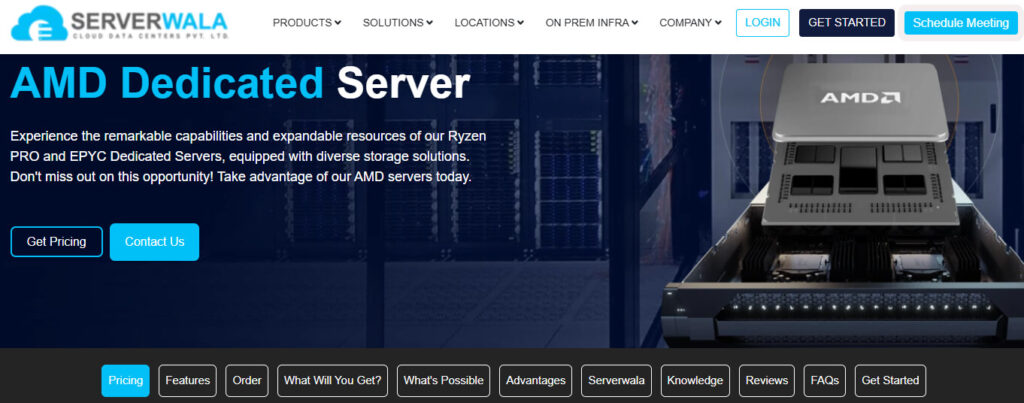
ServerWala takes the second position in our list. Its AMD dedicated server range includes configurations based on both AMD Ryzen and AMD EPYC processors, with the visible listings focused on projects that need dedicated processing, ECC memory, NVMe storage, and a reasonable amount of monthly traffic.
What makes ServerWala different from YouStable is its lower entry point. The supplied configuration data shows an AMD Ryzen 7 PRO 8700GE plan starting at $78 per month, making it one of the more accessible starting options in this comparison. The listed setup includes 8 cores, 16 threads, 64GB DDR5 ECC RAM, 2 × 512GB Gen4 NVMe storage in RAID 1, and 20TB bandwidth.
Higher configurations move to processors such as the AMD Ryzen 7 7700 and AMD Ryzen 9 7950X3D, giving users additional performance and capacity when a smaller configuration is no longer enough.
A Look at the Listed Ryzen Configurations
The supplied ServerWala information shows several configurations aimed at different levels of demand.
| Server | CPU | RAM | Storage | Bandwidth | Starting Price |
| Ryzen 7 PRO 8700GE | 8 Cores / 16 Threads | 64GB DDR5 ECC | 2 × 512GB Gen4 NVMe RAID 1 | 20TB | $78/mo |
| Ryzen 7 7700 | 8 Cores / 16 Threads | 64GB DDR5 ECC | 2 × 1.92TB Gen4 NVMe RAID 1 | 20TB | $99/mo |
| Ryzen 9 7950X3D | 16 Cores / 32 Threads | 128GB DDR5 ECC | 2 × 1.92TB Gen4 NVMe RAID 1 | 20TB | Check current configuration |
The displayed prices can vary depending on the selected billing period and the configuration available at the time of ordering.
DDR5 ECC Memory and Gen4 NVMe Storage
One notable part of the listed configurations is the use of DDR5 ECC RAM and Gen4 NVMe storage.
ECC memory is designed to detect and correct certain types of memory errors, while NVMe storage provides fast access compared with traditional hard drives. The listed plans also use RAID 1 storage setups, where data is mirrored across two drives.
For projects that rely heavily on databases, application files, or frequent disk operations, the combination of ECC memory and NVMe storage can be an important part of the overall server setup.
Storage Capacity Changes Across Plans
The entry level configuration includes 2 × 512GB Gen4 NVMe drives, while the higher listed Ryzen plans move up to 2 × 1.92TB Gen4 NVMe drives.
This gives users the option to choose a smaller storage setup for a new project or move to a larger configuration when applications, databases, or stored data require more space.
Suitable Projects for ServerWala
The provider’s AMD dedicated server page highlights several types of use cases. Based on the supplied material, the range can be considered for:
- High-traffic websites
- eCommerce stores
- Web applications
- Gaming platforms and game servers
- Big data projects
- Resource-intensive applications
The exact configuration should still be selected according to the requirements of the application. A website with moderate traffic may not need 128GB of memory, while a database-heavy platform could require significantly more RAM and storage.
Billing Choices and Scalability
The ServerWala page shows multiple billing durations, including monthly, 3-month, 6-month, and yearly options. Longer billing periods may display different promotional savings from the monthly rate.
The range also gives users room to move between configurations instead of choosing the same hardware level for every project. Starting with an 8-core Ryzen configuration may be sufficient for some deployments, while larger projects can require a 16-core system with 128GB of ECC memory and higher storage capacity.
Why ServerWala Earned the Second Spot
ServerWala ranks highly here because it offers a lower starting price while still including meaningful hardware specifications on its listed plans. At $78 per month, the Ryzen 7 PRO 8700GE configuration includes 64GB DDR5 ECC RAM, dual Gen4 NVMe drives in RAID 1, and 20TB bandwidth.
That combination makes it particularly interesting for users who want more than a basic dedicated server but do not immediately need a large EPYC machine.
Its position below YouStable is mainly due to the broader Ryzen and EPYC range and higher-resource configurations available in the YouStable lineup. However, for users focused on entry pricing, modern DDR5 ECC memory, Gen4 NVMe storage, and dedicated Ryzen hardware, ServerWala is a strong alternative to consider.
3. OVHcloud: A Wide Range of AMD Bare Metal Options
OVHcloud takes the third position in this comparison because of the size and variety of its AMD dedicated server lineup. While some providers focus mainly on a small number of Ryzen systems, OVHcloud offers multiple server ranges that extend from AMD Ryzen machines to more powerful AMD EPYC configurations.
This makes it easier to choose hardware based on the scale of the project. A user with a smaller deployment can start with a Ryzen-based server, while larger applications can move toward EPYC configurations with more memory, storage, and network capacity.
The supplied India pricing shows the RISE-S configuration starting at ₹6,600 per month, based on an AMD Ryzen 7 9700X with 64GB RAM and 2 × 512GB storage. Higher AMD systems move into the EPYC range with significantly different hardware specifications and pricing.
From Ryzen to EPYC
One of the strongest parts of OVHcloud’s AMD range is the number of hardware levels available.
The Ryzen-based servers can be suitable for projects that need dedicated hardware without requiring extremely large memory or storage configurations. The EPYC range is aimed at users with larger infrastructure requirements.
Depending on the selected range, OVHcloud offers configurations with considerably higher CPU, RAM, storage, and network capacity than the entry-level systems.
A Quick Look at the Available Range
The exact server names and specifications vary by location and availability, but the supplied comparison material shows a clear progression from Ryzen to EPYC infrastructure.
| Server Range | Example CPU | RAM | Storage | Starting Price |
| RISE-S | AMD Ryzen 7 9700X | 64GB | 2 × 512GB | ₹6,600/mo |
| Higher Ryzen Options | AMD Ryzen | Varies by configuration | SSD / NVMe options | Varies |
| EPYC Range | AMD EPYC | Higher-capacity options available | Larger storage configurations | From ₹11,700/mo on supplied data |
The final specification depends on the exact server selected, along with the available region and configuration.
More Room for Larger Deployments
The difference between OVHcloud’s smaller and larger configurations is substantial. The broader AMD lineup gives users the ability to select hardware for different stages of growth.
Higher Memory Capacity
The supplied comparison data includes configurations with significantly larger memory allocations, reaching up to 1TB in the broader AMD range.
This can be useful for projects such as large virtualized environments, memory-heavy databases, and infrastructure running multiple services on the same machine.
Larger Storage Options
Higher configurations can also provide much more storage capacity than entry-level servers. The supplied material lists options reaching 6 × 7.68TB on selected configurations.
The right setup will depend on whether the priority is application performance, database storage, virtualization, or large-scale data handling.
Faster Network Options
Network capacity also varies across the range. The supplied comparison information lists public network options reaching up to 25Gbps on selected systems.
Not every server includes the same connection speed, so this is something that should be checked before ordering rather than assumed from the highest available specification.
Who Should Consider OVHcloud?
OVHcloud can be a suitable choice for users who want more choice between different hardware levels.
Its AMD range can fit projects such as:
- Growing web applications
- Virtual machines and virtualization platforms
- Large databases
- Containerized infrastructure
- High-performance computing
- Data-heavy services
- Larger business deployments
The main advantage is not that every project needs the largest EPYC server. It is that the lineup provides more room to select a machine based on current requirements and move to a different class of hardware when the project demands it.
Pricing Depends on the Server Class
OVHcloud’s AMD pricing varies considerably across its server ranges.
The supplied India data lists the RISE-S Ryzen 7 9700X configuration from ₹6,600 per month, while the EPYC-based range starts from ₹11,700 per month excluding GST in the comparison material.
As the hardware moves toward higher core counts, larger memory allocations, additional storage, and faster networking, the monthly cost also increases.
For this reason, OVHcloud is best approached by first deciding what level of hardware you need instead of simply selecting the lowest-priced server.
Why OVHcloud Comes Third in Our List
OVHcloud earns its place because of the breadth of its AMD dedicated server range. It gives users access to both Ryzen and EPYC hardware and offers a path from smaller dedicated systems to machines with much larger RAM, storage, and networking capabilities.
However, that variety can also make the selection process more complex. Users need to compare the exact server range carefully because the hardware, network capacity, and included resources can differ significantly between configurations.
For users who want a broad selection and the ability to choose from different levels of AMD bare metal infrastructure, OVHcloud is one of the strongest options in this comparison.
4. Leaseweb: Built Around AMD EPYC for Enterprise Scale Deployments
Leaseweb takes a different approach from the providers above. Instead of focusing heavily on lower-cost Ryzen servers, its AMD offering is centered more toward AMD EPYC infrastructure and larger-scale deployments.
The available material shows a mix of single and dual-processor systems, including configurations with 128GB RAM, SSD or NVMe storage, and 30TB of traffic. Some systems also include specialized hardware, such as an AMD MI210 GPU card, making the range broader than a standard CPU-only server lineup.
Enterprise Hardware Options
The supplied Leaseweb configurations include servers based on different generations of AMD EPYC processors.
One example shown is an HP DL385 G11 (8SFF) with 2 × AMD EPYC 9334 processors, providing a total of 64 processor cores across the dual-CPU setup. Another listed system uses 2 × AMD EPYC 9224 processors, while a separate Dell R7525 configuration includes 2 × AMD EPYC 7413 processors and an AMD MI210 GPU card.
These systems are aimed at users whose infrastructure requirements go beyond a typical entry-level dedicated server.
Example Configurations From the Available Listings
| Server | Processor | RAM | Storage | Traffic |
| HP DL385 G11 (8SFF) | 2 × AMD EPYC 9334 | 128GB | 2 × 960GB SSD | 30TB |
| HP DL385 G11 (8SFF) | 2 × AMD EPYC 9224 | 128GB | 2 × 960GB SSD | 30TB |
| Dell R7525 | 2 × AMD EPYC 7413 | 128GB | 2 × 960GB SSD | 30TB |
The listed systems also show different delivery times and prices depending on the exact hardware selected.
When Dual EPYC Processors Make Sense
A dual-processor setup is not necessary for every project. However, it can be useful when multiple services, virtual machines, databases, or compute-heavy processes need to run simultaneously.
Leaseweb’s dual-EPYC configurations can therefore be relevant for environments where a higher total core count is more important than simply getting the lowest monthly price.
Virtualized Environments
Running multiple virtual machines on one physical server can require a significant amount of processing power and memory. A larger dual-CPU configuration can provide more capacity for this type of setup.
Compute-Intensive Projects
Applications involving rendering, large-scale data processing, or other sustained processing tasks may require more than a standard Ryzen server can comfortably provide.
Specialized GPU Requirements
The supplied listings also include a Dell R7525 configuration with an AMD MI210 GPU card. This gives Leaseweb an option for projects that require both server-class CPUs and dedicated accelerator hardware.
Traffic, Storage, and Server Capacity
The visible configurations in the supplied material include 30TB of traffic and 128GB RAM, along with dual SSD storage.
These specifications are important because processor power alone does not determine how well a server fits a project. A deployment running multiple services also needs enough memory, suitable storage capacity, and sufficient network traffic for its expected usage.
The exact resources vary between Leaseweb configurations, so users should check the individual server specifications rather than assuming that every AMD EPYC machine includes the same amount of RAM, storage, or traffic.
Who Is Leaseweb Best Suited For?
Leaseweb can be a good fit for:
- Enterprise applications
- Virtualized infrastructure
- Larger databases
- Data processing
- Compute-intensive deployments
- Multi-service environments
- Projects requiring specialized server hardware
It is less focused on users simply looking for the cheapest AMD dedicated server. Instead, the available range is better suited to projects where the hardware configuration itself is the main priority.
Why Leaseweb Ranks Fourth
Leaseweb earns a place in this comparison because of its enterprise-oriented AMD EPYC configurations, dual-processor options, 128GB memory setups, and specialized hardware availability on selected servers.
However, the entry cost of the listed systems is considerably higher than the lower-priced Ryzen options offered by some of the other providers in this article. That makes Leaseweb more suitable for users who genuinely need larger server-class infrastructure.
For smaller websites or standard applications, a high-end dual-EPYC system could simply provide more capacity than necessary. But for virtualization, compute-heavy services, and larger deployments, Leaseweb offers a different level of AMD infrastructure from the more entry-focused options earlier in this list.
5. InterServer: Ryzen Servers With Generous Data Transfer
InterServer completes our list with a dedicated server range focused on AMD Ryzen processors. Unlike providers that split their AMD offerings between Ryzen and EPYC, InterServer’s listed range concentrates on high-performance Ryzen 9 systems with different processor options and a large monthly transfer allowance.
The supplied plans start at $149 per month for an AMD Ryzen 9900X configuration with 12 cores, 64GB RAM, and up to 150TB of transfer. Higher options include the Ryzen 7950X3D, 9950X, and 9950X3D, with 16-core processors and up to 96GB of memory.
Modern Ryzen 9 Processor Choices
InterServer gives users several Ryzen processors to choose from rather than offering only one fixed configuration.
The listed range includes:
- AMD Ryzen 9900X, 12 cores
- AMD Ryzen 7950X3D, 16 cores
- AMD Ryzen 9950X, 16 cores
- AMD Ryzen 9950X3D, 16 cores
This provides different options depending on whether your priority is a lower starting cost or additional CPU capacity.
Server Specifications at a Glance
| Server | CPU | RAM | Storage Options | Transfer | Price |
| AMD Ryzen 9900X | 12 cores | 64GB | Up to 4 HDD, 4 SSD, or 2 NVMe | 150TB | $149/mo |
| AMD Ryzen 7950X3D | 16 cores | 96GB | Up to 4 HDD, 4 SSD, or 2 NVMe | 150TB | $199/mo |
| AMD Ryzen 9950X | 16 cores | 96GB | Up to 4 HDD, 4 SSD, or 2 NVMe | 150TB | $253/mo |
| AMD Ryzen 9950X3D | 16 cores | 96GB | Up to 4 HDD, 4 SSD, or 2 NVMe | 150TB | $273/mo |
The exact storage configuration can be selected based on the available options, while the listed Ryzen plans provide up to 150TB of monthly transfer.
Useful Management and Protection Features
Hardware is only one part of running a dedicated server. InterServer also includes several features that can make server administration easier.
Remote Server Access
The supplied information lists IPMI console access, remote KVM, server reboots, and remote operating system reinstallation options. These tools allow users to manage many server-level tasks without requiring physical access to the machine.
DDoS Protection
The listed Ryzen dedicated servers include DDoS protection, providing an additional layer of network protection against certain types of attacks.
Multiple Operating System Options
Users can choose from different Linux distributions and Windows Server options. Control panels such as cPanel WHM, Plesk, and DirectAdmin are also available as additional options.
Where InterServer Can Be a Good Fit
InterServer can be particularly useful for projects that need a combination of modern Ryzen hardware and a high monthly transfer allowance.
Potential use cases include:
- High-traffic websites
- Web applications and SaaS platforms
- Game servers
- Hosting and infrastructure projects
- Bandwidth-heavy applications
- Development and testing environments
- Custom server deployments
The 150TB transfer allowance is one of the more notable aspects of the listed range, especially for projects that expect significant data movement each month.
Pricing and Configuration Flexibility
The entry-level listed configuration starts at $149 per month, while the higher Ryzen options range up to $273 per month based on the supplied pricing.
InterServer also advertises zero setup fees for its dedicated servers. Users can choose between different storage types and operating system options, allowing the server to be configured around the intended application instead of using the same storage setup for every deployment.
Why InterServer Is Included in Our Top 5
InterServer earns its place because of its focus on modern Ryzen processors, configurable storage, remote management, DDoS protection, and up to 150TB of transfer.
It ranks fifth in this particular comparison not because the hardware is weak, but because its AMD lineup is more focused. Providers ranked higher offer a broader combination of Ryzen and EPYC options or lower entry pricing.
However, if your priority is a modern Ryzen 9 processor combined with a large transfer allowance and flexible storage choices, InterServer remains a strong option to consider.
How to Pick the Right AMD Dedicated Server for Your Project
After looking at all five providers, the next step is to choose a server based on your actual requirements. The right option for a busy website may be very different from the one needed for virtualization, a database, or a larger production environment.
Step 1. Start With What You Are Actually Running
Before comparing processors or prices, make a simple list of what will run on the server.
For example:
- A high-traffic website may need strong CPU performance, sufficient RAM, and fast storage.
- A database-heavy application may need more memory and reliable NVMe storage.
- A virtualization setup may require a higher core count and larger RAM capacity.
- A game server may benefit from strong processor performance, fast storage, and a good network connection.
- A growing SaaS platform may need a balance between CPU, memory, storage, and room for future expansion.
Once you know the type of project, it becomes easier to eliminate configurations that are either too small or unnecessarily powerful.
Step 2. Ryzen or EPYC: Which Direction Should You Take?
This is usually one of the first decisions when selecting AMD hardware.
AMD Ryzen Can Be a Good Starting Point
Ryzen-based servers are available across several providers in this comparison and can work well for websites, applications, development environments, game servers, and other projects that do not require extremely large server-class configurations.
The Ryzen options covered in this article range from 8-core systems to 16-core configurations, with different RAM, storage, and bandwidth allowances.
AMD EPYC Is Better Suited to Larger Requirements
EPYC systems generally make more sense when the project requires higher core counts, larger memory capacity, virtualization, or a greater number of concurrent services.
In this comparison, providers such as YouStable, ServerWala, OVHcloud, and Leaseweb include EPYC-based options in their broader AMD infrastructure.
The important point is to compare the complete configuration, not just the processor family.
Step 3. Check the CPU, RAM, and Storage as One Package
A server should be evaluated as a complete system.
A high-core processor will not solve a memory shortage, and a large amount of RAM cannot compensate for insufficient storage capacity. Before ordering, look at all three areas together.
CPU Capacity
Consider how many processes, users, applications, or services will be running at the same time.
Higher core counts can be useful for virtualization, multiple applications, parallel processing, and other demanding environments.
Memory Requirements
RAM is particularly important for:
- Databases
- Virtual machines
- Multiple containers
- Busy applications
- Caching
- Large datasets
The providers in this article offer configurations ranging from 32GB to much larger capacities, including systems with 256GB and up to 1TB on selected OVHcloud configurations.
Storage Performance and Capacity
NVMe storage can be important for applications that frequently read and write data.
Also check how much usable space you actually need. Consider your:
- Application files
- Databases
- User data
- Logs
- Backups
- Expected future growth
A smaller NVMe setup may be enough initially, but replacing or migrating a server later can be more complicated than selecting adequate storage from the beginning.
Step 4. Do Not Ignore Bandwidth and Server Location
CPU and RAM often receive the most attention, but network capacity can be equally important.
Check:
- Monthly transfer allowance
- Network port speed
- Available server locations
- Additional bandwidth costs
- DDoS protection
- Network upgrade options
For example, the providers covered in this article show very different network allocations. InterServer lists up to 150TB of transfer, while selected YouStable configurations include 50TB. OVHcloud’s higher configurations can provide much faster public network capacity on selected ranges.
The best option depends on how much data your project is expected to transfer and where your users are located.
Step 5. Decide How Much Server Management You Can Handle
Dedicated hosting gives you more control, but that can also mean more responsibility.
Unmanaged Servers
An unmanaged setup may be suitable if you are comfortable handling tasks such as:
- Operating system installation
- Software configuration
- Updates
- Security
- Troubleshooting
- Monitoring
This option generally gives you greater control over the environment.
Managed Support
Managed services can be useful when you do not want to handle every technical task yourself.
However, management levels vary between providers. Before buying, check exactly what the provider will handle and what remains your responsibility.
Do not assume that terms such as “managed” or “support included” mean the same thing everywhere.
Step 6. Review Remote Access and Security Features
A dedicated server should also be manageable when something goes wrong.
Features such as IPMI and KVM access can be valuable because they allow server-level management without physically accessing the hardware.
You should also check:
- DDoS protection
- Firewall options
- Server monitoring
- Backup services
- Remote console access
- Hardware replacement procedures
The included level of protection can vary between plans and providers, so always review the exact configuration before placing an order.
Step 7. Look Beyond the Advertised Starting Price
The lowest price shown on a provider’s page may not represent the configuration you actually need.
Before making a decision, check:
- Monthly cost
- Billing term
- Setup fees
- Taxes
- Hardware included
- Bandwidth limits
- Management costs
- Backup pricing
- Upgrade costs
A server that costs slightly more may offer additional RAM, faster storage, or more transfer. On the other hand, paying for a large EPYC system when a Ryzen server is sufficient can also waste your budget.
Step 8. Choose With Future Growth in Mind
Finally, think about where your project could be six or twelve months from now.
If you expect traffic, database size, or application usage to increase, check whether the provider has a suitable upgrade path.
You may not need the largest configuration today, but choosing a provider with larger Ryzen or EPYC options can make future expansion easier.
The goal is simple: buy enough server capacity for your current requirements, while making sure you have a practical path forward when those requirements grow.
Frequently Asked Questions About AMD Dedicated Servers
1. What is an AMD dedicated server?
An AMD dedicated server is a physical server powered by an AMD processor, such as AMD Ryzen or AMD EPYC, where the server’s main hardware resources are allocated to a single customer.
Depending on the configuration, this can include the processor, RAM, storage, network capacity, and server management access.
2. Which is better for a dedicated server, AMD Ryzen or AMD EPYC?
Neither is automatically better for every project.
AMD Ryzen can be a good choice for websites, applications, game servers, and other projects that need strong dedicated CPU performance.
AMD EPYC is generally more suitable for larger environments that require higher core counts, more memory, virtualization, or multiple services running simultaneously.
The right choice depends on the complete server configuration and your actual requirements.
3. How much RAM do I need?
That depends on what you are running.
A smaller web application may work well with 32GB or 64GB RAM, while databases, virtualization, and multiple applications can require 128GB, 256GB, or more.
It is better to monitor your current memory usage, if possible, rather than selecting RAM based only on the highest number available.
4. Is NVMe storage worth it for a dedicated server?
NVMe storage can be beneficial for applications that perform frequent read and write operations, including databases, web applications, virtualization, and other I/O-intensive projects.
However, capacity also matters. Make sure the server has enough usable storage for application files, databases, logs, backups, and future growth.
5. How much bandwidth do I need?
Bandwidth requirements depend on your expected traffic and the amount of data your server sends and receives.
For example, the providers covered in this article offer different allowances, ranging from 20TB on selected ServerWala configurations to up to 150TB of transfer on the listed InterServer plans.
If your project handles large downloads, streaming, backups, or heavy user traffic, check both the monthly transfer allowance and the network connection speed.
6. Are dedicated servers good for high traffic websites?
Yes, a dedicated server can be suitable for high traffic websites because the main server resources are not shared with other hosting customers.
However, the server still needs to be properly configured. CPU capacity, RAM, storage performance, caching, database optimization, and network capacity can all affect how well a website handles traffic.
7. Do I need a managed or unmanaged dedicated server?
Choose an unmanaged server if you are comfortable handling operating system installation, software configuration, updates, security, and troubleshooting.
A managed service can be useful if you need help with some of these tasks. Before ordering, check exactly what level of management and support is included because providers can offer very different levels of assistance.
8. Can I upgrade my dedicated server later?
This depends on the provider and the type of upgrade you need.
Some changes may involve upgrading RAM or storage, while moving to a more powerful processor or a completely different server can require migration. Before ordering, check the provider’s available upgrade options and how future changes are handled.
9. Which provider is the best overall in this comparison?
Based on the configurations and features covered in this article, YouStable is our top overall pick because its AMD range includes both Ryzen and EPYC options, along with configurations reaching 64 vCPU, 256GB ECC RAM, dual NVMe storage, and up to 50TB bandwidth on selected plans.
However, the best choice can still vary depending on your budget and technical requirements. ServerWala offers a lower entry price, OVHcloud provides a wider range of AMD hardware, Leaseweb focuses more on enterprise-oriented EPYC infrastructure, and InterServer stands out for its high transfer allowance on the listed Ryzen plans.
Conclusion
The best AMD dedicated server is not simply the one with the highest number of CPU cores or the lowest monthly price. The right choice depends on how your project uses processing power, memory, storage, and network capacity.
For this comparison, YouStable takes the top position because its AMD lineup gives users a choice between Ryzen and EPYC configurations. The range covers different requirements, from dedicated Ryzen servers for demanding applications to higher-resource EPYC setups with up to 64 vCPU, 256GB ECC RAM, dual NVMe storage, and up to 50TB bandwidth on selected plans.
ServerWala is worth considering if you want a lower starting price and modern configurations with DDR5 ECC memory and Gen4 NVMe storage. OVHcloud offers one of the broadest selections, with options ranging from Ryzen machines to larger EPYC systems. Leaseweb is better suited to users with enterprise level requirements, while InterServer stands out for its modern Ryzen processors and generous transfer allowance.
Before choosing a provider, focus on the exact server you need rather than the advertised starting price. Check the processor, RAM, storage, bandwidth, server location, remote management options, security features, and any additional costs that may apply.
A smaller Ryzen server may be enough for one project, while another may require the additional cores and memory available with an EPYC configuration. Taking the time to match the hardware with your actual requirements can help you avoid paying for capacity you will never use or choosing a server that becomes limiting too quickly.
Overall, if you want the most balanced combination of AMD processor options, hardware capacity, storage, bandwidth, and management features among the providers covered here, YouStable is our top recommendation for 2026.