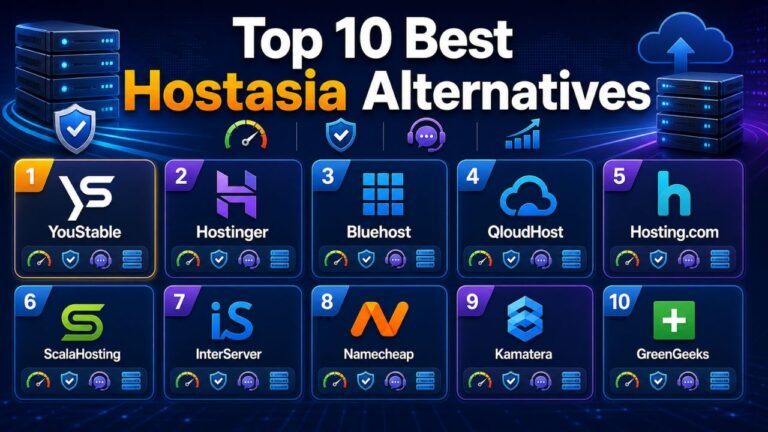


AccuWebHosting can be a suitable choice for many websites, but your hosting requirements may change as traffic grows, performance becomes more important, or you need greater control over your server resources.
You may be looking for faster storage, better support, a suitable server location, lower overall costs, easier website management, or a smoother upgrade path from shared hosting to VPS and dedicated servers.
This guide compares 10 AccuWebHosting alternatives based on pricing, performance, resources, hosting options, security, support, scalability, and practical use cases, so you can choose a hosting provider that fits your website rather than simply choosing the cheapest plan.
Table of Contents
Quick Comparison of AccuWebHosting Alternatives
Before comparing each provider in detail, this table gives you a quick view of their starting prices, strengths, and the type of website they are most suitable for.
| Hosting Provider | Starting Price | Main Strength | Best For |
| YouStable | ₹59/month | NVMe, LiteSpeed & multiple hosting types | Overall value |
| Hostinger | ₹69/month | WordPress & beginner-friendly tools | Beginners |
| ScalaHosting | $2.95/month* | Managed cloud & VPS | Growing websites |
| BigRock | ₹69/month | Hosting, domains & servers | Indian businesses |
| UltaHost | $4.39/month | Shared-to-VPS scalability | Growing websites |
| ResellerClub | Plan dependent | Reseller & hosting ecosystem | Agencies |
| HostyCare | ₹59/month | Feature-rich shared hosting | Small businesses |
| Bluehost | Plan dependent | WordPress-focused hosting | WordPress beginners |
| AquaHost | ₹30/month* | Low-cost hosting | Budget websites |
| RedSwitches | Plan dependent | Dedicated & specialized servers | High-resource workloads |
Why Look for AccuWebHosting Alternatives?
Your existing hosting may work well today, but increasing traffic, changing resource requirements, renewal pricing, or the need for a different hosting environment can make another provider a better fit.
You may want an alternative for better performance, lower costs, improved server locations, stronger security, easier migration, responsive support, or more flexible upgrade options.
The important thing is to compare the complete hosting package rather than switching only because another provider advertises a lower introductory price. Check the resources, renewal cost, backups, security, support, server location, and upgrade path before making your decision.
Top 10 Best AccuWebHosting Alternatives
These AccuWebHosting alternatives cover everything from low-cost shared hosting and WordPress platforms to VPS, cloud, and dedicated infrastructure.
The comparison looks beyond headline pricing to help you understand which provider offers the right balance of performance, support, resources, scalability, and value for your website.
1. YouStable – Fast LiteSpeed Hosting with Reliable India Focused Support
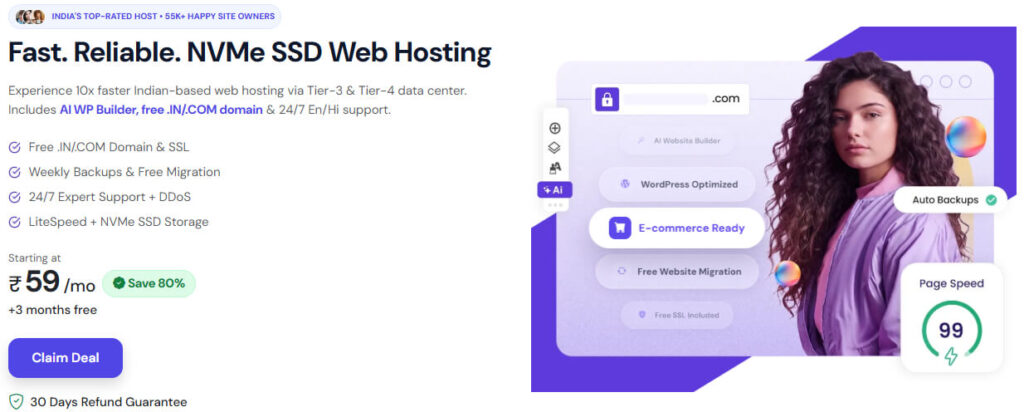
YouStable starts at ₹59/month with NVMe SSD storage, LiteSpeed, free SSL, weekly backups, free migration, DDoS protection, and 24/7 expert support for everyday websites.
You can choose Shared Hosting, VPS, Windows VPS, or Dedicated Servers as your requirements increase. The displayed offer includes up to 80% off, 3 months free, eligible free domain offers, and a 30 day refund guarantee.
Overall, YouStable suits bloggers, WordPress users, businesses, developers, agencies, and growing websites that want affordable hosting with modern performance features and a practical upgrade path.
Key Features of YouStable
- NVMe SSD Storage: Provides faster storage access for website files and databases.
- LiteSpeed Web Server: Delivers a performance focused environment with caching support for compatible websites.
- Free SSL: Secures website connections through HTTPS without requiring a separate SSL purchase.
- Weekly Automated Backups: Gives you regular recovery points for your website data.
- Free Website Migration: Helps you transfer an existing website with migration assistance.
- AI Website Builder: Lets you create a website using AI-assisted tools without advanced coding.
- DDoS Protection: Helps reduce disruption caused by malicious network traffic.
- 24/7 Expert Support: Provides assistance when you encounter hosting or website-related issues.
- Multiple Server Locations: Offers India, Netherlands, and USA locations for different audience requirements.
- Multiple Hosting Types: Lets you upgrade from shared hosting to VPS, Windows VPS, or dedicated infrastructure.
Pros
- Shared hosting starts at ₹59/month
- NVMe SSD storage
- LiteSpeed web server
- Free SSL
- Weekly automated backups
- Free website migration
- AI website builder
- DDoS protection
- 24/7 expert support
- VPS, Windows VPS, and dedicated hosting options
Cons
- Weekly backups may not suit websites requiring very frequent restore points.
- Resource-intensive projects may eventually need VPS or dedicated infrastructure.
- Available resources and features vary by hosting plan.
Plans & Pricing
| Plan | Starting Price | Key Resources | Best For |
| Shared Hosting | ₹59/month | 1 website, 50 GB NVMe SSD, unmetered bandwidth | Blogs & small websites |
| VPS Hosting | ₹349/month | 1 CPU, 4 GB RAM, 50 GB NVMe SSD, 4 TB bandwidth | Growing websites |
| Windows VPS | ₹1,899/month | 2-core CPU, 4 GB RAM, 60 GB NVMe SSD, 1 TB bandwidth | Windows applications |
| Dedicated Server | ₹7,409/month | 4 CPU, 32 GB DDR4, 480 GB SSD, 10 TB/1 Gbps bandwidth | High-resource projects |
The displayed offer shows up to 80% off and 3 months free, with eligible plans offering a free domain and a 30-day refund guarantee.
Best For
Best for: Beginners, bloggers, WordPress websites, freelancers, small businesses, developers, agencies, and growing websites.
Should You Choose YouStable?
Choose YouStable when you want to start with affordable shared hosting but keep a clear route toward VPS, Windows VPS, or dedicated hosting as your website grows. The combination of NVMe, LiteSpeed, migration, backups, security, and support makes it a well-rounded AccuWebHosting alternative.
2. Hostinger – Easy WordPress Hosting with AI Website Tools

Hostinger starts at ₹69/month on its displayed promotional term, making it a practical option when you want an affordable way to launch a website with beginner-friendly management, WordPress support, SSL, backups, and built-in website tools.
You can use Hostinger for WordPress websites, blogs, portfolios, small businesses, and ecommerce projects, while higher plans provide more websites, storage, and resources. Its AI-powered tools and website builder also make the initial setup easier when you do not want to handle everything manually.
Overall, Hostinger is best suited to beginners and WordPress users who value simple website management, built-in tools, migration assistance, and an easy upgrade path as their website starts attracting more visitors.
Key Features of Hostinger
- WordPress Hosting: Provides a hosting environment designed around common WordPress requirements.
- AI Website Builder: Helps you create a website with AI-assisted tools without starting everything from scratch.
- Free Website Migration: Makes moving an existing website easier when you switch from another hosting provider.
- Free SSL: Secures connections between your website and its visitors through HTTPS.
- Free Domain: Eligible plans include a domain at no additional cost for the applicable period.
- Weekly Backups: Backup functionality provides recovery points for your website.
- CDN: Helps deliver website content more efficiently to visitors in different locations.
- LiteSpeed: Supported hosting environments use LiteSpeed technology with caching features for improved website performance.
- 24/7 Support: You can contact support whenever you need assistance with your hosting account.
- Global Data Centers: Multiple locations make it possible to select infrastructure closer to your target audience.
- Cloud Hosting: Higher-level hosting provides additional CPU, RAM, NVMe storage, and dedicated resources for growing websites.
- AI Website Tools: AI features can assist with website creation and other website-management tasks.
Pros
- Starting price of ₹69/month
- Beginner-friendly interface
- Strong WordPress focus
- Free SSL
- Free domain on eligible plans
- Free migration
- AI website-building tools
- CDN support
- Backup options
- 24/7 support
- Cloud hosting for growing websites
Cons
- The ₹69/month price is tied to the displayed promotional billing term.
- Renewal pricing is higher than the introductory rate.
- Storage, backups, and other resources depend on the selected plan.
- Resource-intensive websites may eventually need cloud or higher-level hosting.
Plans & Pricing
| Plan | Starting Price | Key Resources | Best For |
| Single | ₹69/month | 1 website, 10 GB SSD, weekly backups | Beginners & simple websites |
| Premium | ₹139/month | 3 websites, 20 GB SSD, weekly backups | Creators & small brands |
| Unlimited | ₹199/month | Unlimited websites, 50 GB NVMe | Growing businesses |
| Cloud Startup | ₹599/month | 100 GB NVMe, 4 GB RAM, 4 CPU cores | Larger websites & ecommerce |
The displayed promotion offers up to 83% off, with the Single plan shown at ₹69/month on the promotional term. The displayed offer also includes a 30-day money-back guarantee.
Best For
Best for: Beginners, bloggers, WordPress users, freelancers, creators, small businesses, and ecommerce websites that want simple hosting management with built-in website tools.
Should You Choose Hostinger?
Choose Hostinger when you want to get your website online quickly without dealing with complicated server configuration. Its combination of WordPress tools, AI features, migration, SSL, backups, CDN, and support makes the setup straightforward.
If you specifically need India-focused hosting, NVMe shared hosting, LiteSpeed, low entry pricing, and a broader shared-to-VPS-to-dedicated path, YouStable may be a better match for those requirements.
3. ScalaHosting – Powerful Cloud Hosting with Managed VPS

ScalaHosting is a strong AccuWebHosting alternative when you need more than shared hosting and want managed VPS infrastructure without handling every server-management task yourself. Its managed cloud approach is particularly useful for websites that need dedicated resources and room to scale.
You can choose managed or unmanaged cloud VPS depending on how much server control you want. The platform offers NVMe storage, dedicated resources, automatic offsite backups, dedicated IPs, scalable CPU and RAM, and VPS management tools, making it suitable for growing websites and applications.
Overall, ScalaHosting is best suited to growing businesses, developers, agencies, WordPress projects, ecommerce websites, and resource-intensive applications where VPS performance, scalability, and server management matter more than the lowest shared-hosting price.
Key Features of ScalaHosting
- Managed Cloud VPS: Gives you VPS resources with server-management assistance.
- NVMe Storage: Provides fast storage for website files, databases, and applications.
- Automatic Offsite Backups: Keeps backup copies away from the primary hosting environment for additional recovery protection.
- Dedicated IP: Provides a dedicated IP with applicable cloud VPS plans.
- SPanel: Gives you a graphical interface for managing websites, databases, email, SSL, and other hosting functions.
- Root Access: Unmanaged VPS plans provide root-level server control.
- Resource Scaling: Allows you to increase CPU, RAM, and storage as your workload grows.
- Cloudflare Integration: Supports Cloudflare for content delivery and additional website protection.
- One-Click Applications: Simplifies installation of supported applications.
- WordPress Management: Provides tools that make WordPress setup and management easier.
- Multiple Server Locations: Lets you select an available location according to your target audience.
- 24/7 Support: Managed hosting customers can access technical assistance around the clock.
Pros
- Managed cloud VPS
- NVMe storage
- Automatic offsite backups
- Dedicated IP
- SPanel management
- Root access on unmanaged VPS
- Scalable resources
- Cloudflare integration
- WordPress management tools
- Multiple server locations
- 24/7 technical support
Cons
- Managed VPS costs more than basic shared hosting.
- Unmanaged VPS requires technical server-management knowledge.
- Small websites may not need dedicated VPS resources.
- Promotional and renewal pricing can differ.
Plans & Pricing
| Plan Type | Starting Price | Key Resources / Offering | Best For |
| Managed Cloud VPS | $26.95/month | NVMe, unmetered bandwidth, backups, dedicated IP | Growing businesses |
| Unmanaged Cloud VPS | $19.95/month | NVMe, root access, snapshots, dedicated IP | Developers |
| Managed WooCommerce Cloud | $14.95/month | 2 CPU cores, 2 GB RAM, NVMe, backups | Online stores |
Pricing can vary according to the billing term, configuration, promotional offer, and renewal period, so compare the complete cost before purchasing.
Best For
Best for: Growing businesses, developers, agencies, WordPress websites, ecommerce stores, web applications, and users who need managed VPS resources.
Should You Choose ScalaHosting?
Choose ScalaHosting when shared hosting is becoming restrictive but you still want professional server management. Its managed VPS environment gives you dedicated resources and scalability without requiring you to handle every server task yourself.
For a simple blog or small website, this level of infrastructure may be unnecessary. But when your project needs VPS performance, dedicated resources, backups, and room to scale, ScalaHosting becomes a strong AccuWebHosting alternative.
4. BigRock – Reliable Hosting for Indian Businesses & Websites

BigRock is a practical AccuWebHosting alternative when you want to manage website hosting, domains, business email, and server solutions from one platform, particularly for an India-focused website or business.
Its Linux hosting starts at ₹69/month on the displayed plan, with NVMe SSD storage, cPanel, daily backups, free Let’s Encrypt SSL, and a stated 99.99% uptime guarantee. Higher plans provide more websites, storage, email accounts, and transfer capacity.
Overall, BigRock is a good fit for Indian businesses, professionals, bloggers, and website owners who want an established hosting ecosystem with shared hosting today and VPS or dedicated infrastructure available when their requirements increase.
Key Features of BigRock
- NVMe SSD Storage: Provides modern storage for website files and databases.
- cPanel: Lets you manage websites, domains, databases, files, and email through a familiar interface.
- Free SSL: Let’s Encrypt SSL helps secure your website with HTTPS.
- Daily Backups: The displayed shared hosting plans include daily backup functionality.
- Cloudflare CDN: Helps deliver website content more efficiently to visitors.
- Malware Scanning: Security scanning helps identify potentially harmful website files.
- Domain Services: You can register and manage domains alongside your hosting.
- Business Email: Supports professional email addresses using your business domain.
- VPS Hosting: Provides dedicated virtual resources when shared hosting becomes restrictive.
- Dedicated Servers: Gives high-resource websites access to dedicated infrastructure.
- Windows Hosting: Available for websites and applications requiring a Windows-based hosting environment.
- 24/7 Support: Provides customer assistance for hosting-related requirements.
Pros
- Shared hosting starts at ₹69/month
- NVMe SSD storage
- cPanel
- Free Let’s Encrypt SSL
- Daily backups on displayed shared plans
- Cloudflare CDN
- Malware scanning
- Domain and hosting services together
- VPS and dedicated servers
- Windows hosting
- 24/7 customer support
- 99.99% uptime guarantee displayed for hosting
Cons
- Renewal prices can be considerably higher than introductory rates.
- Advanced server infrastructure costs more than shared hosting.
- Some features are limited to specific plans.
- Users specifically looking for LiteSpeed-based shared hosting may prefer another provider.
Plans & Pricing
| Plan | Starting Price | Key Resources | Best For |
| Standard | ₹69/month | 1 website, 20 GB NVMe, 200 GB transfer | Personal sites & small businesses |
| Business | ₹159/month | 5 websites, 25 GB NVMe, unmetered transfer | Growing businesses |
| Pro | ₹199/month | 10 websites, 50 GB NVMe, unmetered transfer | Established websites |
| Ultimate | ₹249/month | 20 websites, 100 GB NVMe, unmetered transfer | Larger organizations |
The displayed Standard plan is ₹69/month and renews at ₹409/month. Business, Pro, and Ultimate are displayed at ₹159, ₹199, and ₹249 per month respectively, with higher renewal prices.
BigRock also lists VPS hosting from ₹399/month and dedicated servers from ₹5,199/month on its hosting platform, giving you options when shared hosting is no longer sufficient.
Best For
Best for: Indian businesses, local businesses, bloggers, professionals, WordPress websites, small companies, and users who want domains, hosting, email, VPS, and dedicated infrastructure from one provider.
Should You Choose BigRock?
Choose BigRock if you want hosting and domain-related services together and prefer cPanel-based website management. Its range from shared hosting to VPS and dedicated servers also gives your website room to grow.
If your priority is specifically LiteSpeed, NVMe shared hosting, very low entry pricing, and a broad upgrade path, YouStable may be a better fit. For an India-focused business ecosystem, however, BigRock remains a practical AccuWebHosting alternative.
5. UltaHost – Flexible Hosting for Growing Websites & Businesses

UltaHost is a useful AccuWebHosting alternative when you expect your website to grow and want a straightforward path from shared hosting to VPS and higher-resource infrastructure without immediately moving to a dedicated server.
Its hosting range includes shared hosting, VPS, Power VPS, and higher-resource Ultra-X options. This gives you flexibility to increase CPU, RAM, storage, and other resources as your website or application becomes more demanding.
Overall, UltaHost is best suited to growing websites, businesses, developers, agencies, and resource-intensive projects where scalability matters more than simply finding the lowest starting price.
Key Features of UltaHost
- Shared Hosting: A practical starting point for websites with modest resource requirements.
- VPS Hosting: Provides a higher-resource environment when shared hosting becomes restrictive.
- Power VPS: Offers more resources for websites and applications with heavier workloads.
- Ultra-X: Provides higher-resource infrastructure for particularly demanding projects.
- Free SSL: Helps secure communication between your website and visitors.
- Website Migration: Migration assistance can simplify moving an existing website.
- Backups: Backup functionality provides recovery points for supported hosting plans.
- 30-Day Money-Back Guarantee: Eligible hosting services include a 30-day money-back period.
- Multiple Resource Levels: Lets you select infrastructure according to your website’s current workload.
- Scalability: The progression from shared hosting to VPS and higher-resource plans gives growing projects room to expand.
Pros
- Shared hosting and VPS options
- Multiple resource levels
- VPS starting from $6.89/month
- Power VPS for demanding workloads
- Ultra-X for higher-resource projects
- Free SSL
- Migration assistance
- Backup options
- 30-day money-back guarantee
- Suitable for growing websites
Cons
- Higher-resource plans cost considerably more than basic shared hosting.
- Small websites may not need advanced infrastructure.
- Features and resources depend on the selected package.
- Budget-focused users may find cheaper alternatives.
Plans & Pricing
| Plan | Starting Price | Hosting Level | Best For |
| Shared Hosting | $4.39/month | Entry-level hosting | Beginners & small websites |
| VPS Basic | $6.89/month | VPS resources | Growing websites |
| Power VPS | $47.29/month | Higher-resource VPS | Resource-intensive websites |
| Ultra-X | $104.99/month | High-resource infrastructure | Demanding projects |
Pricing can vary according to billing duration, promotional offers, configuration, and selected resources, so check the complete plan details before purchasing.
Best For
Best for: Growing websites, developers, businesses, agencies, resource-intensive applications, and users who want a clear path from shared hosting to higher-resource infrastructure.
Should You Choose UltaHost?
Choose UltaHost when you expect your website to need more resources over time and want several hosting levels available under the same provider.
For a small blog where your main goal is the lowest possible cost, AquaHost or HostyCare may be more practical. But if your priority is scalability from shared hosting toward VPS and higher-resource environments, UltaHost is a worthwhile AccuWebHosting alternative.
6. ResellerClub – Shared, VPS & Dedicated Hosting Options

ResellerClub is a practical AccuWebHosting alternative when you manage multiple websites, client projects, or hosting services and want domains, hosting, email, SSL, and reseller tools within one platform.
You can choose from shared hosting, WordPress hosting, cloud hosting, VPS, managed VPS, and dedicated servers, while its reseller-focused features let agencies and developers offer hosting services under their own brand.
Overall, ResellerClub is best suited to agencies, freelancers, developers, hosting resellers, and businesses managing multiple websites that need a broader hosting ecosystem rather than a simple single-website hosting plan.
Key Features of ResellerClub
- Shared Hosting: Provides a straightforward environment for hosting everyday websites.
- WordPress Hosting: Gives WordPress users a hosting environment with relevant management and performance features.
- Cloud Hosting: Provides dedicated resources and scalability for websites that need more capacity.
- KVM VPS: Gives you dedicated virtual resources with root access for greater server control.
- Managed VPS: Adds management assistance when you do not want to handle every server task yourself.
- Dedicated Servers: Provides single-tenant hardware for demanding websites and applications.
- White-Label Reselling: Allows you to offer hosting services under your own brand.
- Domain Integration: Lets you manage domains alongside hosting and other website services.
- Migration Assistance: Helps make the process of moving websites from another provider easier.
- 24/7 Support: Provides technical assistance when you need help with hosting-related issues.
- WHM & cPanel: Gives supported hosting users familiar tools for managing hosting accounts and websites.
- Softaculous: Simplifies the installation of supported applications.
- India and U.S. Locations: Provides hosting location choices for different audience requirements.
- Scalable VPS Resources: Allows you to increase resources when your website or application grows.
Pros
- Shared, WordPress, cloud, VPS, and dedicated hosting
- Strong reseller and agency focus
- White-label hosting
- Domain and hosting integration
- KVM VPS with root access
- Managed VPS option
- Migration assistance
- 24/7 technical support
- India and U.S. server locations
- Customer and billing management tools
- Suitable for multiple websites and clients
Cons
- Reseller features may be unnecessary if you manage only one small website.
- Managed VPS costs more than self-managed VPS hosting.
- Advanced services and features vary between plans.
- Pricing differs significantly across hosting categories.
Plans & Pricing
| Hosting Type | Starting Price | Key Offering | Best For |
| Shared Hosting | $1.29/month | Linux & Windows hosting | Everyday websites |
| WordPress Hosting | $2.79/month | WordPress-focused hosting | WordPress websites |
| Cloud Hosting | $2.99/month | Dedicated resources & scaling | Growing websites |
| VPS Hosting | $3.89/month | KVM, root access & dedicated resources | Developers |
| Dedicated Servers | $56.89/month | Single-tenant hardware | Enterprise workloads |
The displayed VPS starting configuration includes 1 CPU core, 2 GB RAM, 50 GB NVMe storage, and 1 TB data transfer. Higher configurations provide additional CPU, memory, storage, and bandwidth.
Best For
Best for: Digital agencies, freelancers, developers, hosting resellers, businesses managing multiple websites, and users who want hosting and domain services within one ecosystem.
Should You Choose ResellerClub?
Choose ResellerClub when you manage multiple client websites or want to sell hosting under your own brand. Its reseller tools, white-label options, domains, billing features, and range of hosting products make it more suitable for agencies than conventional shared hosting providers.
For a single blog or small business website, you may not need this extensive ecosystem. In that situation, YouStable or Hostinger can be simpler choices. But if your work involves multiple websites or hosting resale, ResellerClub is a more relevant AccuWebHosting alternative.
7. HostyCare – Affordable Hosting with Migration & Backups

HostyCare is a useful AccuWebHosting alternative when you want to keep hosting costs affordable while still getting practical features such as NVMe storage, LiteSpeed, free SSL, cPanel, backups, migration assistance, and malware scanning.
Its shared hosting starts at ₹59/month, with higher plans available for websites that need additional resources. This makes it suitable for starting a blog, WordPress website, portfolio, startup, or small business site without immediately paying for VPS-level infrastructure.
Overall, HostyCare is best suited to bloggers, WordPress users, freelancers, startups, and small businesses that want feature-rich shared hosting with modern performance and security tools at a relatively accessible price.
Key Features of HostyCare
- NVMe SSD Storage: Provides fast storage access for website files and databases.
- LiteSpeed Web Server: Offers a performance-focused environment with caching support.
- Free SSL: Secures your website through HTTPS without requiring a separate SSL purchase.
- cPanel: Lets you manage websites, domains, databases, files, and email from one interface.
- Free Website Migration: Helps you transfer an existing website with migration assistance.
- Automated Backups: Provides recovery points for restoring website data when needed.
- Malware Scanning: Helps identify potentially harmful files within your hosting environment.
- WordPress Support: Provides tools and features suited to WordPress website management.
- Softaculous: Allows supported applications to be installed through a simplified installer.
- Multiple PHP Versions: Lets you select a compatible PHP version for your website or application.
- Email Accounts: Allows you to create professional email addresses using your domain.
- Website Builder: Provides tools for creating websites without developing every element manually.
- 24/7 Support: Gives you access to assistance when you encounter hosting-related issues.
Pros
- Starts at ₹59/month
- NVMe SSD storage
- LiteSpeed web server
- Free SSL
- cPanel
- Migration assistance
- Automated backups
- Malware scanning
- WordPress-focused features
- Softaculous
- Multiple PHP versions
- Domain-based email
Cons
- Resource-intensive websites may eventually outgrow shared hosting.
- Advanced workloads may require a more powerful hosting environment.
- Features and resource limits vary between plans.
- Users looking specifically for VPS, Windows VPS, or dedicated servers may prefer a provider with a broader infrastructure range.
Plans & Pricing
| Plan | Starting Price | Hosting Level | Best For |
| Entry Plan | ₹59/month | Basic shared hosting | Blogs & small websites |
| Higher Plan | ₹129/month | Expanded shared resources | Growing websites |
| Business Plan | ₹239/month | Higher shared resources | Small businesses |
| Premium Plan | ₹599/month | Highest shared tier | Resource-demanding websites |
Pricing may vary according to the selected billing term, promotional pricing, and plan configuration, so check the applicable terms before purchasing.
Best For
Best for: Bloggers, WordPress websites, startups, freelancers, portfolios, and small businesses that want affordable shared hosting with performance, security, and management features.
Should You Choose HostyCare?
Choose HostyCare if you want feature-rich shared hosting without immediately moving to VPS infrastructure. NVMe storage, LiteSpeed, SSL, backups, migration assistance, malware scanning, and cPanel cover many of the practical requirements of a small or medium website.
If you expect to move toward VPS, Windows VPS, or dedicated hosting as your project grows, YouStable provides a broader upgrade path. But for affordable shared hosting with a strong feature set, HostyCare is a sensible AccuWebHosting alternative.
8. Bluehost – Easy WordPress Hosting for New Websites

Bluehost is a practical AccuWebHosting alternative when you want simple website management with a strong WordPress focus, especially if you are launching your first blog, business website, portfolio, or online store.
Its platform brings hosting, domains, SSL, website-building tools, WordPress features, security options, and ecommerce capabilities together, so you can manage many of your website requirements from one place without dealing with complex server configuration.
Overall, Bluehost is best suited to beginners, WordPress users, freelancers, small businesses, and new ecommerce websites that value straightforward management and a familiar WordPress-focused hosting environment.
Key Features of Bluehost
- WordPress Hosting: Provides hosting options designed around common WordPress website requirements.
- Beginner-Friendly Management: Simplifies common hosting and website-management tasks for users without advanced technical knowledge.
- Free SSL: Helps secure connections between your website and visitors through HTTPS.
- Website Builder: Lets you create and customize a website without manually coding every page.
- WordPress Tools: Provides tools that simplify WordPress setup and management.
- Security Features: Includes security-focused tools designed to help protect websites and hosting accounts.
- Marketing Tools: Provides tools that can help businesses manage and promote their online presence.
- Ecommerce Support: Offers hosting and tools designed for users building online stores.
- Domain Services: Lets you manage domains alongside your hosting account.
- Website Migration: Provides options for moving an existing website to Bluehost.
- Scalable Hosting: Higher-level hosting options are available when your website requires additional resources.
- 24/7 Support: Provides support when you need assistance with your hosting or website.
- 30-Day Money-Back Guarantee: Eligible hosting services include a 30-day money-back period.
Pros
- Strong WordPress focus
- Beginner-friendly management
- Free SSL
- Website-building tools
- Ecommerce support
- Domain and hosting services together
- Security and marketing tools
- Migration options
- 24/7 support
- 30-day money-back guarantee
Cons
- Promotional and renewal pricing can differ significantly.
- Features vary between hosting plans.
- Users targeting Indian visitors may prefer a provider with India-focused infrastructure.
- Users specifically looking for NVMe and LiteSpeed-based shared hosting may find other alternatives more suitable.
Plans & Pricing
Bluehost offers different hosting categories rather than a single plan that fits every type of website. Your final cost depends on the hosting product, billing term, promotional pricing, and selected resources.
| Hosting Type | Pricing | Main Offering | Best For |
| Shared Hosting | Plan dependent | General website hosting | Beginners |
| WordPress Hosting | Plan dependent | WordPress-focused tools | WordPress websites |
| Business Hosting | Plan dependent | Higher website resources | Small businesses |
| Ecommerce Hosting | Plan dependent | Store-focused features | Online stores |
Before purchasing, compare the introductory price, renewal price, storage, backups, domain terms, and plan-specific features rather than judging the service only by its advertised starting price.
Best For
Best for: Beginners, bloggers, WordPress users, freelancers, small businesses, portfolios, and new ecommerce websites that want simple website management.
Should You Choose Bluehost?
Choose Bluehost when your priority is easy WordPress and website management rather than advanced server configuration. It can be particularly convenient when you are launching your first website and want hosting, domain services, SSL, website-building tools, and WordPress features in one ecosystem.
If your priorities are low-cost NVMe hosting, LiteSpeed, India-focused hosting, free migration, and a broader shared-to-VPS-to-dedicated upgrade path, YouStable may be a better match for those requirements.
9. AquaHost – Low Cost Hosting with Indian VPS Options
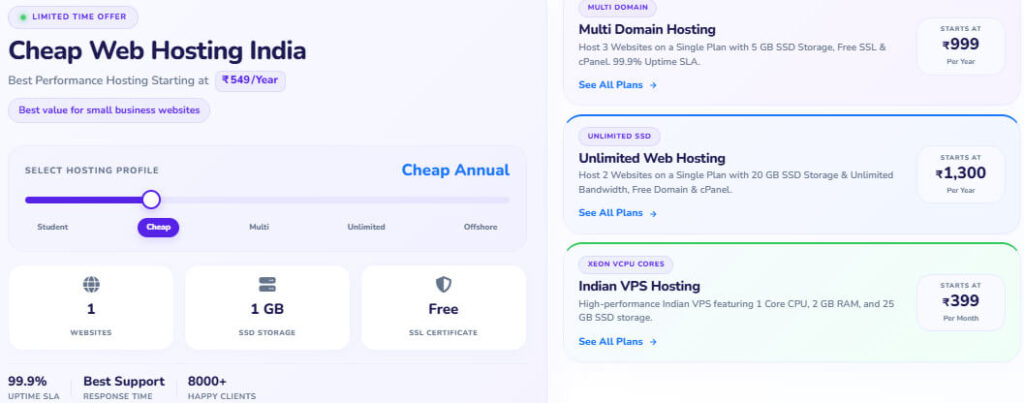
AquaHost is a practical AccuWebHosting alternative when your priority is keeping hosting costs low while still getting useful features such as SSD storage, LiteSpeed, cPanel, free SSL, backups, and website-building tools.
Its shared hosting starts at ₹30/month, while annual, multi-domain, unlimited hosting, and Indian VPS options give you room to choose a plan according to your website’s size and resource requirements. This makes it particularly relevant for beginners and small Indian websites.
Overall, AquaHost is best suited to bloggers, personal websites, freelancers, portfolios, small businesses, and budget-conscious users who want inexpensive hosting with simple management and the option to move to VPS hosting later.
Key Features of AquaHost
- Low-Cost Hosting: Lets you start a basic website with a very small hosting budget.
- SSD Storage: Uses SSD storage for website files and databases.
- LiteSpeed Web Server: Provides a performance-focused web server environment on applicable hosting plans.
- Free SSL: Helps secure your website through HTTPS.
- cPanel: Lets you manage websites, domains, files, databases, and email from one interface.
- Softaculous: Simplifies installation of supported applications such as WordPress.
- Website Builder: Provides a drag-and-drop option for creating websites without extensive coding.
- Backup Options: Available backup frequency depends on the selected hosting plan.
- Indian Data Center: Provides an India hosting option for websites primarily serving Indian visitors.
- Multiple Locations: Depending on the product, hosting locations include India, Singapore, and Finland.
- WordPress Support: WordPress can be installed through Softaculous on supported plans.
- Indian VPS: Provides a higher-resource option when shared hosting becomes insufficient.
Pros
- Shared hosting starts at ₹30/month
- SSD storage
- LiteSpeed on applicable plans
- Free SSL
- cPanel
- Softaculous
- Website builder
- Backup options
- Indian hosting location
- Annual hosting options
- Indian VPS available
- Suitable for small websites
Cons
- Entry-level plans provide limited storage and resources.
- The ₹30/month plan is intended for very small websites.
- Growing websites may quickly need additional resources.
- Advanced applications may require VPS or cloud infrastructure.
- Features and backup frequency vary by plan.
Plans & Pricing
| Plan | Starting Price | Key Resources | Best For |
| Monthly Web Hosting | ₹30/month | 1 website, 200 MB SSD, unlimited transfer | Very small websites |
| Cheap Web Hosting | ₹549/year | 1 website, up to 6 GB SSD | Blogs & starter sites |
| Multi-Domain Hosting | ₹999/year | Multiple websites & SSD storage | Freelancers & small agencies |
| Unlimited Hosting | ₹1,300/year | Multiple websites & unlimited transfer | Growing portfolios |
| Indian VPS | ₹399/month | 1 vCPU, 2 GB RAM, 25 GB storage | Growing websites & developers |
AquaHost’s displayed offers include discounts on selected hosting plans, while promotional pricing and coupon terms can vary. Check the current offer and refund conditions before purchasing, particularly when using a promotional code.
Best For
Best for: Beginners, bloggers, personal websites, freelancers, portfolios, small businesses, and Indian users who want affordable shared hosting with straightforward management.
Should You Choose AquaHost?
Choose AquaHost if price is your main concern and your website does not currently require substantial CPU, RAM, or storage. The ₹30/month entry option gives you a low-cost way to get started, while annual and multi-domain plans provide more practical choices as your requirements increase.
When shared hosting is no longer enough, its Indian VPS option gives you a path toward additional resources. However, if you want NVMe storage, LiteSpeed, more hosting types, and a broader upgrade path toward VPS, Windows VPS, and dedicated servers, YouStable may be a stronger overall choice.
10. RedSwitches – Dedicated Infrastructure for Specialized Workloads
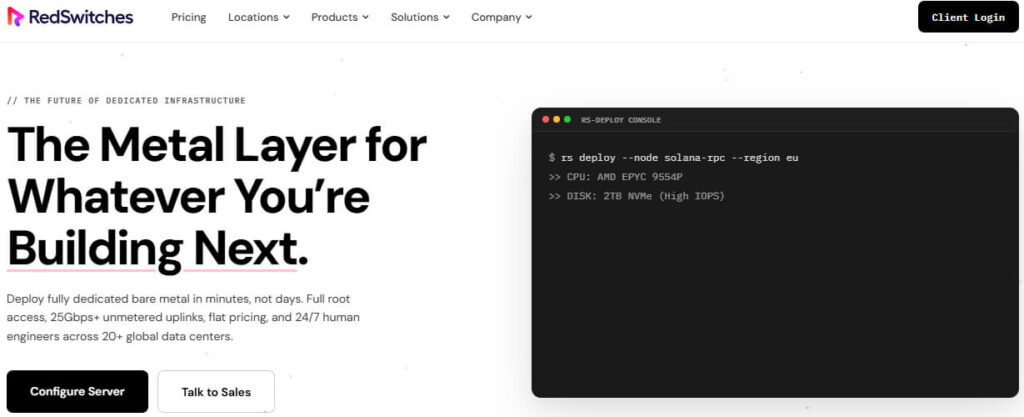
RedSwitches is a different kind of AccuWebHosting alternative because it focuses more on dedicated servers, bare-metal infrastructure, GPU computing, storage, and specialized workloads than on beginner-friendly shared hosting.
For you, RedSwitches becomes relevant when a website or application needs predictable hardware resources, high bandwidth, substantial processing power, or infrastructure designed for a specific workload rather than a standard shared hosting environment.
Overall, RedSwitches is best suited to developers, businesses, high-traffic applications, media platforms, AI and GPU workloads, storage-heavy projects, and blockchain applications that need dedicated infrastructure.
Key Features of RedSwitches
- Dedicated Servers: Provides dedicated physical hardware for workloads that require isolated resources.
- Bare-Metal Servers: Gives you direct access to physical server resources for demanding applications.
- GPU Servers: Suitable for AI, machine learning, rendering, and other GPU-intensive workloads.
- High-Bandwidth Infrastructure: Designed for applications that transfer substantial amounts of data.
- Media & Streaming Servers: Provides infrastructure suitable for media platforms and streaming workloads.
- Blockchain Infrastructure: Supports blockchain-related workloads and specialized node requirements.
- Storage Servers: Offers storage-focused configurations for applications handling large amounts of data.
- Dedicated Resources: CPU, RAM, storage, and network resources are allocated to your server instead of being shared through conventional shared hosting.
- Workload-Specific Configurations: You can select hardware according to the technical requirements of your application.
- Specialized Infrastructure: Provides options beyond conventional shared and entry-level VPS hosting.
Pros
- Dedicated server infrastructure
- Bare-metal server options
- GPU-focused infrastructure
- High-bandwidth configurations
- Media and streaming support
- Blockchain infrastructure
- Storage-focused servers
- Dedicated resource isolation
- Suitable for specialized workloads
Cons
- Not primarily designed for beginners or basic blogs.
- Dedicated infrastructure generally costs more than shared hosting.
- Small websites may not need this level of hardware.
- Pricing depends heavily on the selected server configuration.
Plans & Pricing
RedSwitches is not directly comparable with conventional shared hosting providers because its pricing depends largely on the server hardware, CPU, RAM, storage, bandwidth, GPU configuration, and workload requirements you select.
| Infrastructure | Pricing | Best For |
| Dedicated Servers | Configuration dependent | High-traffic applications |
| Bare Metal | Configuration dependent | Businesses & developers |
| GPU Servers | Configuration dependent | AI & GPU workloads |
| Storage Servers | Configuration dependent | Data-intensive applications |
| Specialized Servers | Configuration dependent | Media & blockchain workloads |
When comparing RedSwitches, look beyond the monthly price and check the CPU generation, RAM, storage type, bandwidth, network capacity, GPU model where applicable, and server location for your particular workload.
Best For
Best for: High-traffic applications, developers, AI and GPU workloads, media and streaming platforms, blockchain projects, storage-intensive applications, and businesses requiring dedicated infrastructure.
Should You Choose RedSwitches?
Choose RedSwitches when your project has moved beyond ordinary shared hosting and you need dedicated hardware or specialized server infrastructure. It is particularly useful when predictable resources, high bandwidth, or workload-specific hardware are more important than beginner-friendly website management.
For a blog, portfolio, small business website, or standard WordPress site, this level of infrastructure may be unnecessary. In those situations, YouStable, Hostinger, or AquaHost can be more practical.
But if your application requires dedicated resources, GPU computing, high bandwidth, large-scale storage, or specialized infrastructure, RedSwitches can be a much more suitable AccuWebHosting alternative.
How to Choose the Best AccuWebHosting Alternative
Choosing the right AccuWebHosting alternative becomes much easier when you compare the hosting with your actual website requirements rather than focusing only on the advertised starting price.
A personal blog, business website, online store, and resource-intensive application can need completely different hosting environments. Before switching, consider the following factors.
1. Match Hosting With Your Website Size
Start by checking how much your website actually needs. A small blog may work comfortably on shared hosting, while an ecommerce store or web application may need more CPU, RAM, storage, and database resources.
Look at:
- CPU and RAM limits
- SSD or NVMe storage
- Bandwidth
- Number of websites allowed
- Database limits
- Email accounts
- PHP versions
- Inode limits
You should have enough resources for your current traffic without paying for infrastructure your website does not need.
2. Check the Server Location
Your visitors’ location should influence your hosting decision.
If most of your audience is in India, an India-based data center can reduce the physical network distance between visitors and your server. For international websites, choose a location close to your largest audience wherever possible.
Server location is not the only factor affecting speed, but it can contribute to lower network latency and a better overall browsing experience.
3. Compare Performance Features
Do not judge hosting performance simply by looking at storage capacity. The underlying hosting environment also matters.
Look for features such as:
- NVMe SSD storage
- LiteSpeed or another optimized web server
- Server-side caching
- CDN support
- HTTP/2 or HTTP/3
- Modern PHP versions
- Object caching where available
For WordPress, also check whether the provider gives you practical caching and optimization options that you can actually use.
4. Check Security and Backups
Your hosting should provide reasonable protection as well as website recovery options.
Before switching, check for:
- Free SSL
- Malware scanning
- DDoS protection
- Account isolation
- Automated backups
- Backup frequency
- Backup retention
- Restore options
Do not stop at the phrase “free backups.” Two providers can both advertise backups while offering very different backup schedules and retention periods.
5. Consider Technical Support
Support becomes especially important when your website is connected to your business, sales, or daily operations.
Check whether the provider offers:
- 24/7 support
- Live chat or ticket support
- Migration assistance
- Technical troubleshooting
- Server-related assistance
- Documentation and knowledge-base resources
If you do not have server-management experience, managed hosting support can be more useful than simply having root access.
6. Look at the Upgrade Path
Think beyond your current hosting plan.
Your website might start on shared hosting and later require VPS, cloud hosting, Windows VPS, or dedicated infrastructure because of increased traffic or application requirements.
A provider with several hosting levels can make this transition easier because you can increase resources without completely rebuilding your hosting setup.
7. Compare Promotional and Renewal Pricing
The introductory price is only one part of your hosting cost.
Before purchasing, compare:
Introductory price → Renewal price → Billing period → Included resources → Extra costs
A plan that appears cheaper initially can become considerably more expensive when it renews. Check the renewal price before you make your final decision.
8. Choose According to Your Website Type
Your website’s purpose should ultimately guide your choice.
| Your Requirement | Suitable Options |
| Small personal website | AquaHost, HostyCare |
| WordPress website | YouStable, Hostinger, Bluehost |
| Indian business website | YouStable, BigRock |
| Growing website | YouStable, UltaHost |
| Agency or multiple clients | ResellerClub |
| Managed VPS | ScalaHosting |
| Dedicated infrastructure | RedSwitches |
| Specialized workloads | RedSwitches, ScalaHosting |
The best AccuWebHosting alternative is therefore not necessarily the cheapest provider. Choose the one that gives you the resources, performance, support, security, and upgrade options your website actually requires.
Which AccuWebHosting Alternative Should You Choose?
The best choice depends on what you need from your hosting today and where you expect your website to go next. A cheaper plan is not automatically better if it gives you fewer resources, weaker backup options, or limited room to grow.
1. Best Overall: YouStable
Choose YouStable if you want the most balanced combination of affordability, performance features, support, and scalability. Its shared hosting starts at ₹59/month, while VPS, Windows VPS, and dedicated servers give you options when your website needs more resources.
2. Best for Beginners: Hostinger
Choose Hostinger if you are launching your first website and want an easy platform for WordPress, blogs, portfolios, or small businesses. Its website-building and AI tools can make getting started simpler.
3. Best for Managed VPS: ScalaHosting
Choose ScalaHosting when shared hosting is no longer enough and you want managed cloud VPS resources. It is particularly suitable when dedicated resources, backups, scalability, and server management are important to you.
4. Best for Indian Businesses: BigRock
Choose BigRock if you want hosting, domains, email, and server services from one established platform. Its combination of shared, VPS, Windows, and dedicated hosting can suit businesses with different infrastructure requirements.
5. Best for Growing Websites: UltaHost
Choose UltaHost if you expect your resource requirements to increase and want a straightforward progression from shared hosting to VPS and higher-resource infrastructure.
6. Best for Agencies: ResellerClub
Choose ResellerClub if you manage multiple websites, work with clients, or want to sell hosting under your own brand. Its reseller ecosystem is more relevant to agencies and developers than a conventional single-website hosting setup.
7. Best Feature Rich Budget Option: HostyCare
Choose HostyCare if you want affordable shared hosting with features such as NVMe storage, LiteSpeed, SSL, backups, migration assistance, and malware scanning.
8. Best for WordPress Beginners: Bluehost
Choose Bluehost if your priority is straightforward WordPress website management and you want hosting, domain services, SSL, and website-building tools within one ecosystem.
9. Best Low Cost Option: AquaHost
Choose AquaHost if your main priority is keeping the initial hosting cost low. Its ₹30/month entry plan can work for very small websites, while its higher plans and VPS provide additional options as your requirements increase.
10. Best for Dedicated Workloads: RedSwitches
Choose RedSwitches when your project needs dedicated hardware, high bandwidth, GPU resources, storage infrastructure, or specialized server configurations. It is not intended primarily for ordinary beginner websites.
Final Recommendation
For most users replacing AccuWebHosting, YouStable is the strongest overall option because it combines affordable entry pricing with modern performance features and multiple upgrade paths.
However, your requirements should make the final decision. Choose Hostinger or Bluehost for beginner friendly WordPress hosting, AquaHost or HostyCare for budget shared hosting, ScalaHosting for managed VPS, ResellerClub for agencies, and RedSwitches for dedicated or specialized infrastructure.
Before you migrate, compare the renewal price, resources, server location, backup policy, security features, support, migration terms, and upgrade options. That final comparison will help you choose a provider that actually solves the reason you wanted to move away from AccuWebHosting.