

If your visitors are concentrated around New York and the Northeast, a New Jersey VPS can give your website a convenient regional hosting location.
You also gain dedicated virtual resources and greater control compared with shared hosting, which can make VPS hosting practical for demanding websites and applications.
Still, the right server depends on more than location. You need to consider resources, storage, bandwidth, management, security, support, pricing, and future growth.
In this guide, you will find four VPS providers compared from a practical perspective, so you can choose according to your project’s actual requirements.
Table of Contents
Does Hosting in New Jersey Make Sense for Your Audience?
New Jersey can be an interesting hosting location when your visitors, customers, or applications are concentrated around New York and nearby Northeast markets.
A geographically closer server can reduce the distance between users and infrastructure, although actual latency depends on routing, networks, application configuration, and traffic conditions.
That means you should treat location as one useful consideration rather than assuming it automatically guarantees faster page loading or better application performance.
Your VPS resources matter equally, especially when your website runs databases, ecommerce software, APIs, control panels, background processes, or multiple applications together.
The Details You Should Compare Before Choosing
Start by looking at your expected workload because the right VPS for a small website may be completely different from one needed by SaaS software.
RAM determines how much working memory your applications have, while CPU resources become increasingly important when your server handles processing-intensive tasks or concurrent requests.
Storage capacity also matters because websites, databases, applications, backups, logs, and operating systems can consume available disk space surprisingly quickly.
You should then examine bandwidth, dedicated IP addresses, root access, operating system choices, backups, DDoS protection, support, billing terms, and upgrade options.
Four VPS Providers With Different Strengths
The four providers in this comparison are not interchangeable. YouStable emphasizes value, Hostiger focuses on New Jersey connectivity, UltaHost provides managed VPS, and Verpex offers dedicated resources.
| Provider | Starting Price | Entry Resources | Key Strength |
| YouStable | $3.67/month | 1 CPU, 4 GB RAM, 50 GB NVMe | Overall value |
| Hostiger | $15/month | 1 vCPU, 1 GB RAM, 25 GB NVMe | NYC connectivity |
| Verpex | $10/month | 2 dedicated vCPU, 4 GB RAM, 80 GB NVMe | Dedicated resources |
| UltaHost | $4.80/month | 1 CPU, 1 GB DDR5, 30 GB NVMe | Managed hosting |
The displayed prices can vary according to billing periods and promotions, so you should always check the current plan and renewal amount before completing your purchase.
1. YouStable – Best Overall New Jersey VPS
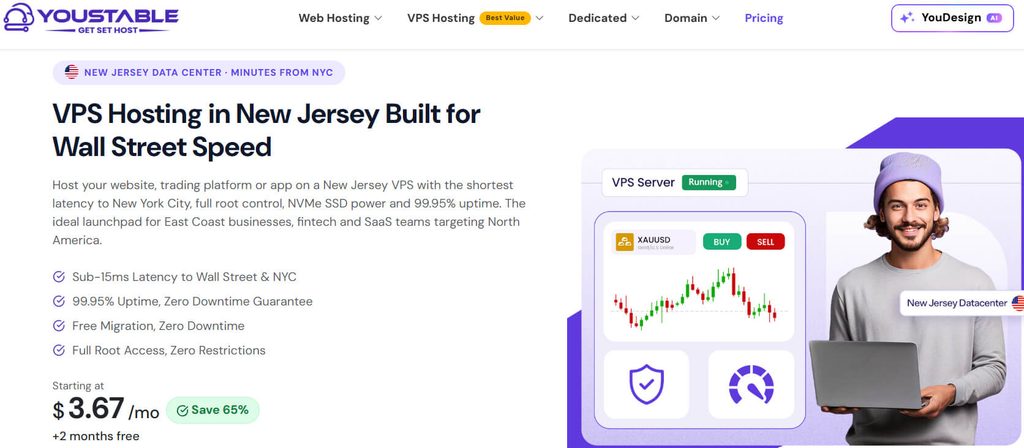
YouStable takes the first position because its entry level VPS gives you a notably strong combination of memory, storage, bandwidth, root access, and dedicated IPv4.
Its vStart plan includes 1 CPU, 4 GB RAM, 50 GB NVMe SSD storage, 4 TB bandwidth, one dedicated IPv4 address, and full root access.
The displayed price is $3.67 per month with the 24 month option, making the plan particularly interesting if you are comfortable choosing a longer billing commitment.
What You Get at the Starting Level
The vStart configuration is not limited to the bare minimum. Its 4 GB RAM gives your applications useful room for websites, databases, development tools, and background services.
The included 50 GB NVMe storage can accommodate website files, application data, databases, logs, and other server requirements without immediately forcing you toward another tier.
You also receive 4 TB bandwidth, which gives the entry plan enough capacity for considerably more than a very small experimental website.
More Capacity When Your Website Gets Bigger
If your project eventually needs additional resources, YouStable offers progressively larger configurations rather than forcing you to change providers immediately.
| Plan | CPU | RAM | NVMe Storage | Bandwidth |
| vStart | 1 CPU | 4 GB | 50 GB | 4 TB |
| vProfessional | 2 CPU | 8 GB | 100 GB | 8 TB |
| vPopular | 4 CPU | 16 GB | 200 GB | 16 TB |
| vStable | 8 CPU | 32 GB | 400 GB | 32 TB |
This progression gives you a straightforward upgrade path when increasing traffic, applications, databases, or background processes require more server capacity.
Freedom to Configure the Server Yourself
With full root access, you can install software, configure services, modify system settings, and create the server environment your application requires.
The provider lists AMD EPYC processors, KVM virtualization, NVMe storage, DDoS protection, SSH/SFTP access, and a 1 Gbps New Jersey port.
You can select operating systems including Ubuntu, Debian, AlmaLinux, and Rocky Linux, while Windows Server is available separately as a paid option.
Control panel choices include cPanel, Plesk, DirectAdmin, and free CyberPanel, giving you alternatives if you prefer graphical website administration.
Is YouStable Right for Your Project?
YouStable is a particularly strong fit if you want to move beyond shared hosting while keeping your initial VPS expenditure relatively low.
It can work well for business websites, ecommerce stores, SaaS applications, development projects, automation tools, agency workloads, and growing online platforms.
The higher plans also provide additional CPU, RAM, storage, and bandwidth, giving you room to continue scaling without rebuilding your hosting setup elsewhere.
Points Worth Considering Before You Buy
The biggest consideration is administration. Root access gives you flexibility, but you need suitable technical knowledge to manage operating-system updates, configuration, security, and troubleshooting.
You should also remember that the $3.67 figure is tied to the displayed 24-month billing option, so shorter commitments may carry different pricing.
If your priority is maximum convenience rather than server control, a managed VPS may suit you better than a highly configurable environment requiring more hands-on administration.
YouStable at a Glance
Starting price: $3.67/month on the displayed 24-month option
Entry resources: 1 CPU, 4 GB RAM, 50 GB NVMe, 4 TB bandwidth
Access: Full root access
IP: 1 dedicated IPv4
Best suited for: Websites, ecommerce, SaaS, development, automation, and growing projects
Our Take: YouStable offers the most convincing overall balance here if you want substantial entry resources without paying a high VPS price from the beginning.
2. Hostiger – Built Around New Jersey & NYC Connectivity
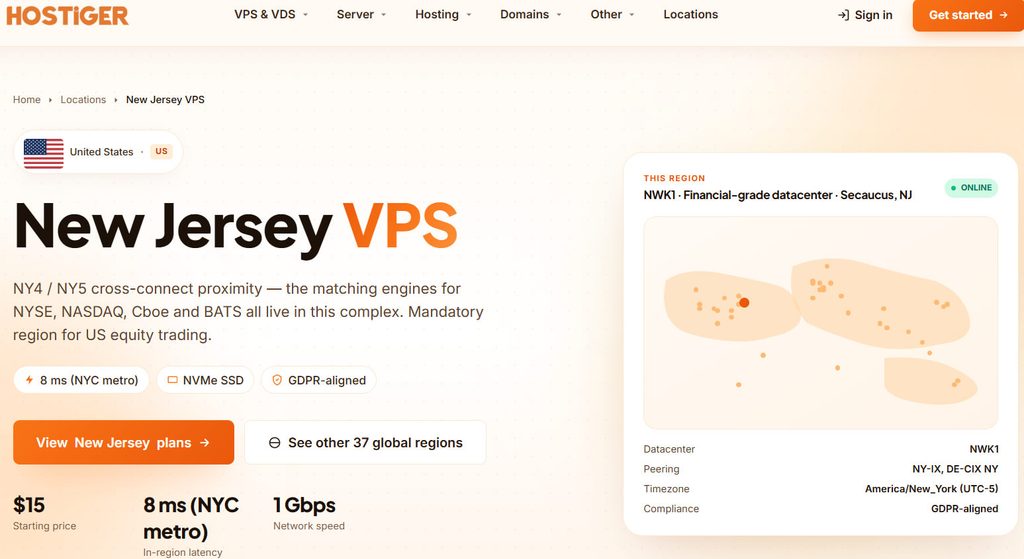
Hostiger moves into the second position because its New Jersey VPS offering is particularly focused on regional infrastructure rather than competing purely on entry-level price.
Its listed location is NWK1 in Secaucus, New Jersey, with connectivity through NY-IX and DE-CIX NY, making the service relevant for NYC-oriented workloads.
If your application depends heavily on users around New York, that regional focus can be more meaningful than choosing a cheaper server located farther away.
A Closer Look at the Infrastructure
Hostiger lists Intel Xeon Gold processors, NVMe Gen4 SSD storage, KVM full virtualization, and Tier III+ infrastructure with N+1 redundancy.
Its New Jersey VPS environment includes a 1 Gbps symmetric network, dedicated IPv4, IPv6 connectivity, and a published 99.99% uptime SLA.
The provider also advertises server provisioning in under 60 seconds, which can be useful when you need infrastructure deployed without a lengthy setup process.
Plans That Cover Small to Enterprise Workloads
Hostiger’s New Jersey lineup is unusually broad, allowing you to move from a modest configuration to substantially larger resources.
| Plan | vCPU | RAM | NVMe Storage | Bandwidth |
| Basic | 1 | 1 GB | 25 GB | 1 TB |
| Starter | 1 | 2 GB | 50 GB | 2 TB |
| Medium | 2 | 4 GB | 80 GB | 3 TB |
| Standard | 4 | 8 GB | 160 GB | 4 TB |
| Professional | 6 | 16 GB | 320 GB | 5 TB |
| Advanced | 8 | 32 GB | 640 GB | 6 TB |
| Enterprise | 16 | 64 GB | 1,200 GB | 10 TB |
The regular Basic plan is listed at $15 per month, while the provider’s ordering page displays a promotional discount for the first six months.
Why NYC Proximity May Matter to You
Hostiger reports approximately 8 ms NYC metro latency, but you should view this as provider-published information rather than a guaranteed result for your own visitors.
Actual latency can change according to the user’s ISP, routing path, network congestion, application architecture, and other factors outside the VPS provider’s direct control.
Still, the combination of a Secaucus location and New York-focused peering makes this provider worth examining when regional connectivity is an important requirement.
Server Control Without a Narrow Software Environment
Hostiger provides KVM virtualization and root access, allowing you to configure your server according to the software stack and operating system your project requires.
The provider supports multiple operating-system options, including Linux distributions, Windows, FreeBSD, and custom ISO configurations.
Hourly and monthly billing are also available, which can be useful if you need temporary infrastructure or want flexibility instead of immediately committing to a longer billing period.
When Hostiger Becomes the Better Choice
Hostiger is most compelling when your application has a strong New York connection and you are willing to pay more for region-focused infrastructure.
It can suit APIs, SaaS platforms, business applications, development environments, financial technology workloads, and services where network location deserves significant consideration.
The wide range of configurations also means you can choose substantially more resources when a 1 GB entry plan would not provide enough room.
Hostiger Pros and Cons
Pros
- Secaucus, New Jersey infrastructure
- NYC-focused connectivity
- 1 Gbps symmetric network
- NVMe Gen4 storage
- KVM virtualization
- Dedicated IPv4
- Up to 16 vCPU
- Up to 64 GB RAM
- Hourly and monthly billing
- 99.99% published uptime SLA
Cons
- Basic includes only 1 GB RAM.
- Starting price is higher than several competitors.
- Larger configurations can become expensive.
- Performance measurements published by the provider are not independent benchmarks.
Our Take: Hostiger is worth choosing when New York-area connectivity is central to your project and the additional regional focus justifies its higher starting price.
3. Verpex – A Better Match When Dedicated Resources Matter
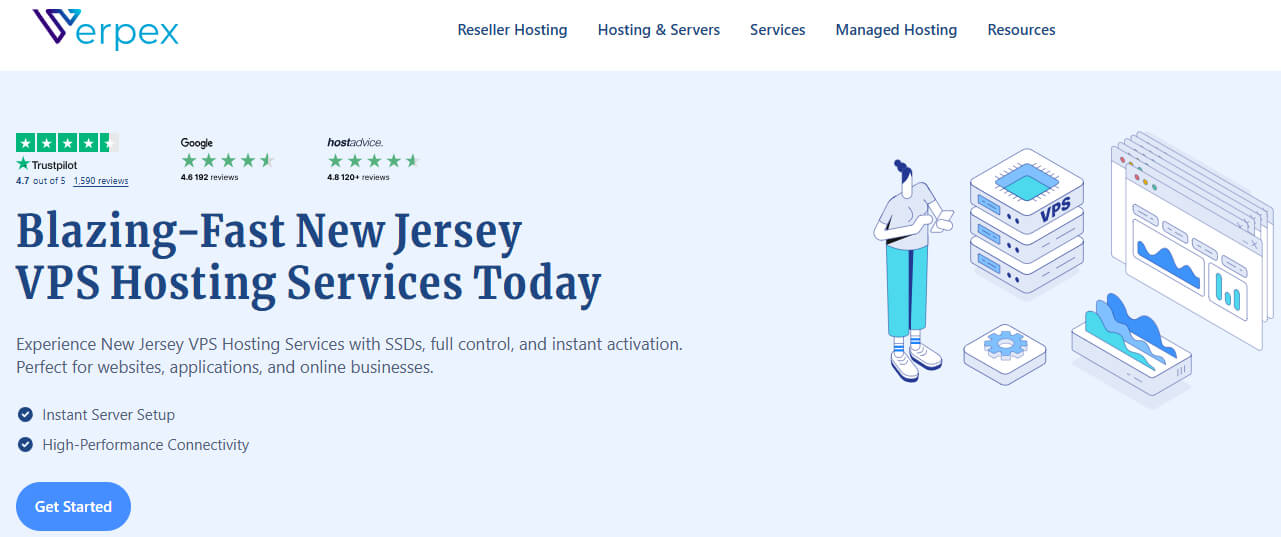
Verpex takes third place in this comparison, with its strongest appeal coming from dedicated CPU, RAM, and NVMe resources across its featured New Jersey Linux VPS plans.
The provider describes these plans as unmanaged Linux VPS hosting, so you should be prepared to handle server administration rather than expecting a fully managed environment.
The VPS-D4 Gives You a Serious Starting Point
The VPS-D4 plan includes 2 dedicated Xeon vCPU, 4 GB dedicated RAM, and 80 GB dedicated NVMe storage.
You also get unlimited traffic, root access, optional cPanel/WHM, unlimited websites and email accounts, and one-click installation options.
The introductory price is listed at $10 for the first month, with the displayed renewal price increasing to $19.99 monthly.
Four Plans for Growing Requirements
Verpex provides four configurations, making it possible to increase capacity as your website or application becomes more demanding.
| Plan | Intro Price | Renewal | CPU | RAM | NVMe | Traffic |
| VPS-D4 | $10/mo | $19.99/mo | 2 dedicated Xeon vCPU | 4 GB | 80 GB | Unlimited |
| VPS-D8 | $20/mo | $39.99/mo | 4 CPU | 8 GB | 160 GB | Unlimited |
| VPS-D16 | $40/mo | $79.99/mo | 8 CPU | 16 GB | 320 GB | Unlimited |
| VPS-D32 | $55/mo | $109.99/mo | 16 CPU | 32 GB | 640 GB | Unlimited |
The promotional pricing applies to the introductory period, so you should consider the renewal figures when calculating the actual long-term hosting cost.
Why Technical Users May Prefer This Setup
Root access lets you build the server environment around your own requirements rather than working within the limitations of a shared hosting platform.
You can install packages, configure services, select your software stack, and manage websites through command-line tools or optional cPanel/WHM.
That freedom becomes especially useful when your application needs specific server configurations or software that standard shared hosting cannot accommodate easily.
The Unmanaged Label Is Important
You should pay attention to the word “unmanaged” because it changes your responsibilities after the server is provisioned.
Operating-system maintenance, security configuration, software updates, service troubleshooting, and many server-level tasks require your own involvement or assistance from someone technically experienced.
For an experienced administrator, that control can be an advantage. For a beginner, however, a managed VPS may provide a much easier experience.
Where Verpex Fits Into Your Decision
Verpex is worth considering when dedicated virtual resources are more important to you than managed administration or the lowest possible monthly entry price.
Its configurations can support ecommerce websites, applications, development environments, WordPress projects, databases, and workloads that need progressively higher CPU, RAM, and storage capacity.
The availability of plans reaching 16 CPU cores, 32 GB RAM, and 640 GB NVMe also gives larger projects a meaningful upgrade path.
Verpex Pros and Cons
Pros
- Dedicated CPU resources
- Dedicated RAM
- Dedicated NVMe storage
- Unlimited traffic
- Root access
- Optional cPanel/WHM
- Up to 16 CPU cores
- Up to 32 GB RAM
- 640 GB NVMe on highest listed plan
- 24/7 support
Cons
- Featured Linux VPS plans are unmanaged.
- Renewal prices are higher than introductory prices.
- Server administration remains your responsibility.
- Beginners may find managed hosting easier.
Our Take: Verpex is a strong choice for technically confident users who want dedicated virtual resources and substantial upgrade options without giving up root-level control.
4. UltaHost — Managed VPS for Users Who Prefer Convenience
UltaHost comes fourth and takes a noticeably different route from the other providers by emphasizing managed VPS hosting.
That approach can be useful if you want VPS flexibility but would rather spend less time dealing with routine server administration, maintenance, security configuration, and infrastructure tasks.
The current VPS Basic plan is listed at $4.80 per month on the displayed 24-month billing option.
What You Receive Across the VPS Range
UltaHost offers four primary configurations, increasing CPU, RAM, and NVMe storage as you move toward the higher tiers.
| Plan | CPU | RAM | NVMe Storage | Bandwidth |
| VPS Basic | 1 CPU | 1 GB DDR5 | 30 GB | Managed |
| VPS Business | 2 CPU | 2 GB DDR5 | 50 GB | Unlimited |
| VPS Professional | 3 CPU | 4 GB DDR5 | 75 GB | Unlimited |
| VPS Enterprise | 4 CPU | 6 GB DDR5 | 100 GB | Unlimited |
The Basic plan includes one dedicated IPv4, four IPv6 addresses, free SSL, managed VPS service, and a 30-day money-back guarantee.
Features Designed to Reduce Your Workload
UltaHost includes automated backups, real-time snapshots, DDoS protection, free migration, firewall management, vulnerability monitoring, SSH/SFTP access, and 24/7 support.
These features can be valuable when you want to concentrate on your website or application instead of spending most of your time maintaining the server itself.
The platform also supports environments and applications such as WordPress, WooCommerce, Laravel, Docker, GitLab, and n8n.
The Basic Plan Needs a Careful Look
The $4.80 starting price may appear attractive, but the Basic configuration includes only 1 GB RAM, which can be restrictive for demanding applications.
If your project uses a database, control panel, multiple services, or memory-intensive software, you should consider one of the higher configurations instead.
That makes it important to choose according to your actual workload rather than selecting Basic simply because it has the lowest displayed price.
When Managed Hosting Is Worth Paying For
Managed VPS hosting can be especially helpful if you understand website administration but do not want to become responsible for every underlying server task.
It can suit business owners, agencies, WordPress users, ecommerce operators, and developers who prefer having technical assistance available when infrastructure issues arise.
You still retain root access, so you have more flexibility than with ordinary shared hosting while benefiting from a more supported hosting environment.
UltaHost Pros and Cons
Pros
- Managed VPS hosting
- $4.80/month listed starting price
- NVMe storage
- Dedicated IPv4
- Automated backups
- Real-time snapshots
- DDoS protection
- Free migration
- 24/7 support
- Free SSL on Basic
Cons
- Basic includes only 1 GB RAM.
- The lowest price uses the displayed longer billing term.
- Higher-resource plans cost more.
- Managed services may be unnecessary for experienced server administrators.
Our Take: UltaHost makes the most sense when you want VPS control but prefer a managed environment that reduces the amount of server administration you personally handle.
Which Provider Should You Pick?
You do not need the most powerful VPS available; you need a configuration that comfortably handles your workload without wasting money on unused capacity.
If value and entry level resources are your priorities, YouStable stands out. If regional NYC connectivity matters most, Hostiger deserves closer attention.
Verpex becomes attractive when dedicated resources and root control are important, while UltaHost is better suited to users who prioritize managed administration.
| Provider | Ideal User | Main Advantage | Main Limitation |
| YouStable | Value focused VPS users | Strong entry resources | More hands on administration |
| Hostiger | NYC focused projects | Regional connectivity | Higher entry price |
| Verpex | Experienced administrators | Dedicated resources | Unmanaged plans |
| UltaHost | Convenience focused users | Managed VPS | Lower RAM on Basic |
Your final choice should therefore come down to your workload, technical experience, regional requirements, budget, and willingness to manage the server yourself.
Before You Pay, Check These Details
First, confirm the billing period attached to the advertised price because several providers use different pricing structures for promotional or longer term commitments.
Next, compare renewal pricing rather than judging the service entirely by its introductory rate, especially when you expect to keep the VPS for several years.
If location matters to your application, verify the actual deployment region and avoid assuming that every plan from a provider uses the same physical location.
Finally, make sure the selected VPS has enough RAM, CPU, storage, and bandwidth for your expected workload, with reasonable capacity available for future growth.
FAQs
1. Which New Jersey VPS is best overall?
YouStable is the strongest overall option in this comparison because its entry plan combines 4 GB RAM, 50 GB NVMe, 4 TB bandwidth, root access, and dedicated IPv4.
2. Which provider is suitable for NYC focused hosting?
Hostiger is particularly relevant because its New Jersey infrastructure is located in Secaucus and the provider focuses on connectivity around the New York metropolitan area.
3. Which VPS providers offer dedicated resources?
Verpex’s featured Linux VPS plans provide dedicated CPU, RAM, and NVMe storage, with configurations scaling from VPS-D4 through VPS-D32.
4. Is managed VPS hosting useful for beginners?
Yes. Managed VPS hosting can reduce routine server administration, making it easier to concentrate on your website or application instead of maintaining the underlying infrastructure.
5. What should you compare before choosing a New Jersey VPS?
CPU and RAM
NVMe storage capacity
Bandwidth or traffic policy
Data center location
Root access
Managed or unmanaged service
Backups and snapshots
DDoS protection
Support availability
Promotional and renewal pricing
Conclusion
A New Jersey VPS can be a sensible upgrade when shared hosting no longer gives you enough resources, control, or flexibility for your growing online project.
YouStable takes the #1 position for its strong combination of entry-level resources, NVMe storage, bandwidth, root access, and comparatively low listed pricing.
Hostiger is the more specialized choice when New York connectivity matters, while Verpex suits experienced users who want dedicated virtual resources.
UltaHost is the better fit when managed administration and convenience are more important to you than maximizing resources on the cheapest plan.
Before ordering, compare the current configuration, billing period, renewal cost, management level, and deployment location against your project’s actual requirements.